Turn Photo to Sketch: Graphite

Turn Photo to Sketch: Graphite Summary
Turn Photo to Sketch: Graphite is a free, with in-app purchases iOS app in Photo And Video by Digital Masterpieces GmbH. Released in Oct 2019 (6 years ago). It has 37K ratings with a 4.77★ (excellent) average. Based on AppGoblin estimates, it reaches roughly 16K monthly active users and generates around $<10K monthly revenue (100% IAP / 0% ads). Store last updated Oct 6, 2026
Recent activity: 4.00 new ratings this week View trends →
SDK intelligence: AppGoblin detected 1 analytics: product(e.g. Mixpanel) integrated into Turn Photo to Sketch: Graphite. View full SDK list →
Turn Photo to Sketch: Graphite SDKs Summary
Turn Photo to Sketch: Graphite was last scanned for SDKs on 2026-08-30. Below is the overview of third-party companies detected in the app. The full list of SDKs, permissions and unknowns is available here.
 Mixpanel
4.77★
Ratings: 37K
Screenshots



App Description
Turn your photos and videos into drawings so realistic, they look hand-drawn.
Graphite transforms your photos and videos into stunning pencil sketches, charcoal drawings, and technical illustrations — right on your iPhone, iPad, or Mac. Your images stay 100% private. Everything is processed directly on your device for instant results and complete peace of mind. No internet required.
◆ Photos and Videos — Both Transformed
Graphite is the only app that brings professional drawing effects to video. Export up to 4K resolution at 60fps for stunning video productions, or go for an artistic stop-motion look. For photos, export up to 64 megapixels—perfect for large-format prints, canvas art, or an entire illustration book.
◆ A World of Drawing Styles
Graphite offers 41 handcrafted, fully adjustable styles dedicated entirely to the art of drawing. Explore a rich variety of mediums, including:
• Graphite pencil
• Charcoal
• Colored pencil
• Pastel
• Chalk
• Oil pen
• Technical illustration
• …and many more.
Every style captures the precision and nuance of traditional drawing — perfect for portraits, landscapes, or technical illustrations.
◆ Precise Editing Tools
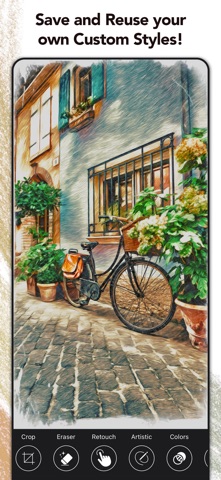
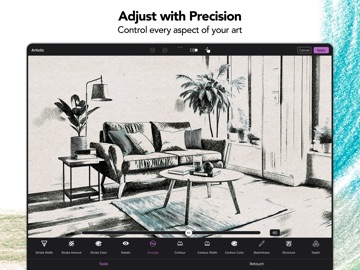
Take full control of your artwork. Graphite's advanced editing and retouch tools let you fine-tune every detail with pixel-level accuracy — using your finger or Apple Pencil — directly in real time. Adjust outlines, control sketchiness, refine details, or remove unwanted elements with the Magic Eraser. Personalize and save your own Custom Styles — synced across all your devices.
◆ Projects — Your Creative Work, Always Saved
Never lose a creative idea in progress. Save your edits as a project and return at any time — right where you left off. Explore variations, experiment freely, and share your projects with others.
◆ Canvas & Paper Textures
Choose from fine-art papers and canvas textures for an authentic, tactile finish. Combined with color filters and custom vignettes, you can set the perfect mood for every piece.
◆ Print & Share Your Creations
Bring your drawings into the real world:
• Postcards via MyPostcard—worldwide delivery from just $2.69
• Canvas prints and posters via CanvasPop with a 100% "Love It" guarantee
• Large-format prints, made possible by Graphite's ultra-high-resolution output
Share your finished pieces on Instagram, TikTok, Y