Meal Replacement Tracker

Meal Replacement Tracker Summary
Meal Replacement Tracker is a ad-supported, with in-app purchases iOS app in Health And Fitness by Jared Grant. Released in Apr 2019 (7 years ago). It has 61 ratings with a 3.90★ (average) average. Based on AppGoblin estimates, it reaches roughly 160 monthly active users and generates around $<10K monthly revenue (27% IAP / 73% ads). Store metadata: updated Mar 19, 2026.
Store info: Last updated on App Store on Mar 19, 2026 .
3.9★
Ratings: 61
Screenshots




App Description
Meal replacement tracker, the easiest way to keep track of your meal replacement program.
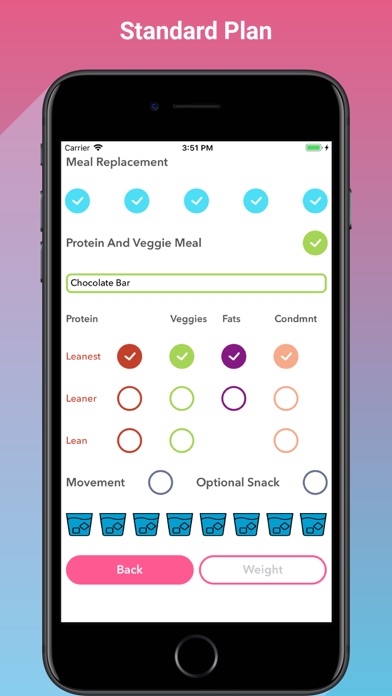
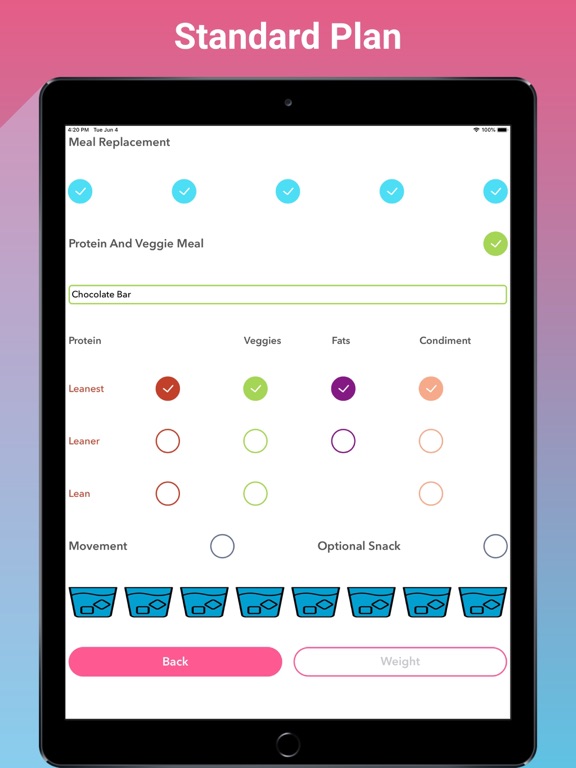
MR tracker is simple and easy to use. Simply select the week and the day then mark the meals, optional items, and water as you eat/drink them.
The day rings will serve as a reminder to what you have already completed and what you have left.
It’s easy to make it a goal to close the meal ring and the water ring daily.
Record you daily weight on the input screen and view it on the overview screen next to your food and water rings. Color coded to show an increase, decrease, or neutral change in weight.
Local push notifications are used to remind you to eat a meal every 2.5 hours. Notifications can be customized with the In-App Purchase - "Custom Alarm". Reminders start after you click your 1st checkbox for the day.
Current meal plans are: Standard, Nursing Mother, 4MR2 and 5MR2.
Choose the amount of weeks you want to do the program. Standard plan can change Burn and Transition weeks. The other plans can only change the Burn weeks.
Take pictures at the Start, Middle and End of your program.
Record body measurements at the Start, Middle and End of your program.
Restart button to erase all data and start the program over fresh.
Added support for iCloud Backup and Sync. Your data will automatically be backed up and synced to your iCloud account and will automatically show up and sync with your other Apple devices using the same Apple ID.
***In-App Purchase - Custom Alarm Notification. Set you default alarm notification interval. Interval ranges from 15 min to 3 hours 30 min in increments of 15 min. You can also set a 1-time alarm notification for you next meal after you checkmark a meal. 1 time alarm notifications don't change the overall default alarm notification interval. This is great for those times when you forgot to checkmark a meal and need a shorter alarm notification for your next meal or if you know you have an appointment when your next meal is supposed to be, you can set the 1 time alarm notification for before or after your appointment.
***In-App Purchase - Overview Details. The Overview Screen can now show a graph representation of your weight for the week and your overall weight in graph form, min, max, and current weight. It will also show what time your next meal is at the top of the screen. It will also create a Live Activity o