Taculator 84 Graphing Calc

Taculator 84 Graphing Calc Summary
Taculator 84 Graphing Calc is a free, with in-app purchases iOS app in Education by Di Venisco UG (haftungsbeschrankt). Released in May 2019 (7 years ago). It has 10K ratings with a 4.46★ (good) average. Based on AppGoblin estimates, it reaches roughly 9.6K monthly active users and generates around $<10K monthly revenue (100% IAP / 0% ads). Store last updated Sep 29, 2026
Recent activity: 18 new ratings this week View trends →
Taculator 84 Graphing Calc SDKs Summary
App not yet scanned for SDKs.
4.46★
Ratings: 10K
Screenshots


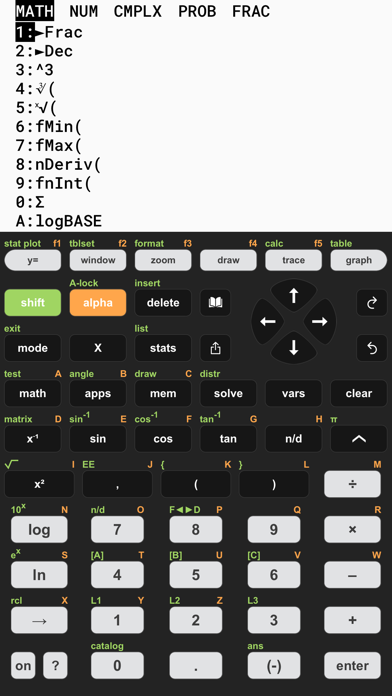


App Description
TACULATOR 84 GRAPHING CALCULATOR
• Your graphing calculator for high school and college students.
• All the commands you know: advanced math, lists, statistics, distributions, stat plots and more.
• Covers everything you need: Pre-Algebra, Algebra 1 & 2, Pre-Calculus, Calculus, Statistics...
IT'S EVEN BETTER THAN AN ACTUAL CALCULATOR
• 100X faster than a handheld, using the full calculation power of your iPhone/iPad.
• High-resolution graphing window for sharp and beautiful graphs.
• Icon home screen, redesigned menus, optional status line.
• Share calculations by text or email.
◉ Math Functions
• Scientific calculator with every basic and advanced function.
• Scrollable history; copy any previous calculation.
• Complex numbers support
• Probability: nPr, nCr, factorial, random numbers.
• Enter fractions easily; tap any result to flip fraction and decimal.
• Piecewise functions, sequences, list commands like seq(, ΔList(, augment(.
• Degree, radian and gradian angle modes, DMS format.
• Error messages point at the exact spot in your input.
◉ Graphing Functions
• Four graphing modes: Function, Parametric, Polar and Sequence (u, v, w with TIME and WEB plots); trace, tables, CALC and zoom work in every mode.
• Smart trace snaps to zeros, maxima, minima, intersections and asymptotes.
• Calculate intersection, zero, minimum, maximum, integral, and derivative.
• Full ZOOM menu: ZBox, ZSquare, ZTrig, ZoomFit, zoom factors and zoom memory.
• Draw on your graph: text, pen, points, tangents, circles and shading in color.
• Store and recall pictures, or put a photo behind your graph.
• Graph statistical plots like histogram, box plot, scatter plot, xy-line plot.
• Full-screen mode, pinch to zoom, full window and format settings.
◉ List, Statistics, and Distribution
• Stat list editor with 1- and 2-Variable statistics.
• Guided input wizards for every test, interval and distribution.
• List math: min, max, mean, median, sum, product, standard deviation, variance.
• Find best-fit regressions: LinReg (ax+b), LinReg (a+bx), QuadReg, CubicReg, QuartReg, LnReg, ExpReg, PwrReg, Logistic, SinReg, PropReg, RecipReg, eBASEReg — with r and r² diagnostics.
• Manual-Fit a line by eye, or QuickPlot points and fit a model right on the graph.
• Statistical tests: Z-Test, T-Test, 2-Sample Z- and T-Tests, 1- and 2-P