Map Measurement Tool

Map Measurement Tool Summary
Map Measurement Tool is a with in-app purchases iOS app in Tools by David Gross. Released in Apr 2019 (7 years ago). It has 7.00 ratings with a 2.86★ (poor) average. Based on AppGoblin estimates, it reaches roughly 17 monthly active users and generates around $<10K monthly revenue (100% IAP / 0% ads). Store metadata: updated Apr 28, 2026.
Store info: Last updated on App Store on Apr 28, 2026 .
2.86★
Ratings: 7.00
Screenshots



App Description
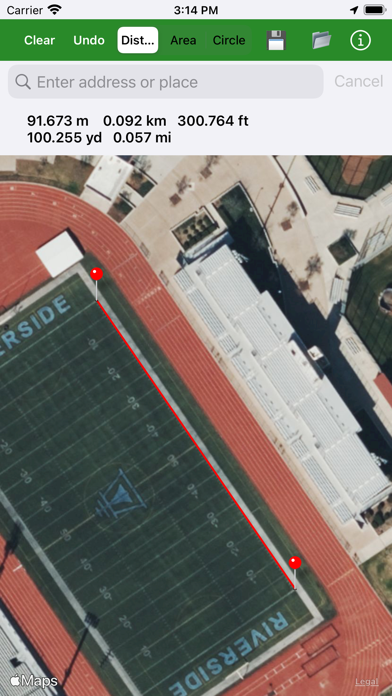
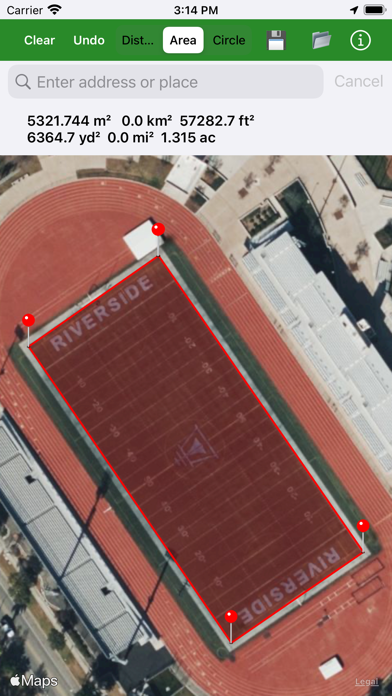
Measure the size of a home lot, plat of land, crop circle, park, sports field, walking route, etc.
Apple Maps™ are used. A careful measurement's error is about 1% to 3% for area and 0.1% to 0.5% for perimeter. Tap on the map to drop a pin. Undo a dropped pin with the "Undo" button. Press and hold a pin to move it.
Search any address worldwide using Apple or Mapbox. If your primary geocoder fails, the app prompts an instant fallback to the alternative.
Save and load your measurements with a table interface. Select between Hybrid, Hybrid Flyover, or Standard maps.
There is current location access to measure your surroundings.
Distance results in meters, kilometers, feet, yards, and miles all at once.
Area results in square meters, feet, yards, kilometers, miles, and acres all at once.
A circle mode is available, too, to easily measure crop circles or other circular objects. Tap in the center of the crop circle to drop a pin, and then on the edge; a circle will be rendered and the circumference and area displayed.
Create a KML file with your measurements and open it in the Google Earth™ app or desktop browser version to view all your measurements at once. This also allows for Apple Maps to Google Maps comparisons.
Export all your measurements locally to your iOS device to save your work with a Map Measurement Tool-specific KML file. You can then import your measurements from this specific KML file.