VA - Secret Hide Photo Vault

VA - Secret Hide Photo Vault Summary
VA - Secret Hide Photo Vault is a ad-supported, with in-app purchases iOS app in Photo And Video by 薇薇 肖. Released in Apr 2019 (7 years ago). It has 34 ratings with a 4.53★ (excellent) average. Based on AppGoblin estimates, it reaches roughly 45 monthly active users and generates around $<10K monthly revenue (61% IAP / 39% ads). Store metadata: updated Mar 16, 2026.
Store info: Last updated on App Store on Mar 16, 2026 .
4.53★
Ratings: 34
Screenshots


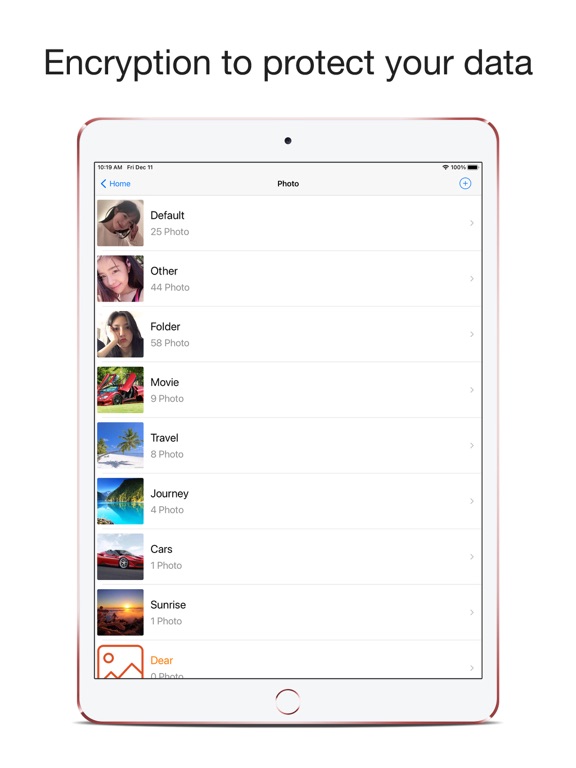


App Description
Encrypt to protect your private photos, videos, voice recordings, live photos, GIFs, files, account passwords, and diaries.
1. Triple Password Privacy Protection:
- Supports Face ID and fingerprint unlocking.
- Supports decoy passwords and folder passwords.
- Intruder snapshot feature to ensure data safety.
2. Convenient Data Import/Export:
- Transfer data between devices for easy synchronization.
- Supports wireless networking and file sharing for imports/exports.
- Supports system album import/export of photos and videos.
- Supports AirDrop for sharing photos and videos.
3. Main Features:
- No storage quantity limit.
- Slide show feature supports sequential or random photo play.
- Detect and review duplicate files to save storage space.
- Two-level folder structure for convenient photo/video organization.
- Features a recycle bin to avoid accidental deletions.
4. Technical Support:
- If you encounter issues, please don't uninstall. Contact the developer via email: calcplus@sina.com.
• What if someone wants to view your private photos and videos?
--- Provide a decoy password; upon login, they'll only see regular photos and videos.
• What to do if a colleague wants to borrow your phone or it needs repairing?
--- Login password, decoy password, and folder password – a triple protection layer for your privacy.
• How to find out if someone sneakily accessed the encrypted album?
--- Intruder snapshot feature captures their photo and records the access time.
• What to do when switching phones?
--- Device-to-device transfer; no computer or data usage required, one-click data transfer to the new phone.
• What if you forget the password?
--- Supports Face ID and fingerprint unlock. You can also set up an email for password recovery.
• How to import photos and videos from a computer into the encrypted album?
--- You can use file sharing and wireless networking to import private photos and videos.
• How to find duplicate photos and videos that were imported more than once?
--- Duplicate file detection; one-click search to save storage space.
• What if photos/videos are accidentally deleted?
--- The recycle bin feature prevents accidental deletions.
--------------------------------------------------------------
Membership Subscription Details:
- Offers both monthly and yearly subscription options, with a 3-day free trial for yearly subscr