Fuel Record: Gas Cost Tracker

Fuel Record: Gas Cost Tracker Summary
Fuel Record: Gas Cost Tracker is a free, ad-supported, with in-app purchases iOS app in Tools by Takeshi Ejiri. Released in Apr 2019 (7 years ago). It has 11K ratings with a 4.61★ (excellent) average. Based on AppGoblin estimates, it reaches roughly 39K monthly active users and generates around $<10K monthly revenue (24% IAP / 76% ads). Store last updated May 4, 2026
Fuel Record: Gas Cost Tracker SDKs Summary
App not yet scanned for SDKs.
4.61★
Ratings: 11K
Screenshots


App Description
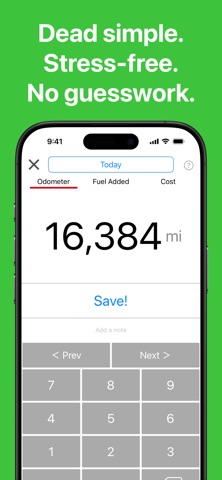
No complicated steps. No hassle.
Quick to log, easy to keep going — even if you usually give up.
Fuel Record is a super simple car log app to track fuel, mileage, and cost — effortlessly.
● Key Features
- Dead simple logging. Faster than scanning receipts, with no complicated steps.
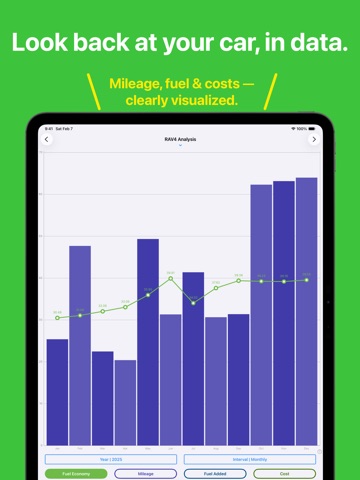
- Clear, easy-to-read charts that show changes in fuel economy, mileage, and fuel costs at a glance.
- Yearly, quarterly, and monthly summaries to easily see seasonal trends.
- Unlimited vehicles. Manage as many cars or motorcycles as you like.
● Perfect for You If You…
- Couldn’t keep up with car logs in the past.
- End up abandoning tracking apps halfway through.
- Want something simple, without unnecessary features.
- Just want an easy way to log — nothing more.
- Don’t want to deal with detailed settings or manual calculations.
● Additional Features
- Supports fuel economy units: mpg, mi/L, km/L, L/100km
- Notes feature for maintenance records like oil changes or tire replacements
● Why I Built Fuel Record
I wanted an app that’s easy to enter data into, automatically turns it into clean, readable charts, and lets you see what you need instantly. If you’re looking for a car log app that’s simple, clear, and easy to stick with, Fuel Record is made for you.
■■ Paid Upgrades: Backup Version
- Enables cloud backup
- Removes all ads
■■ Paid Upgrades: Ad-Free Version
- Removes all ads
● Auto-Renewable Subscriptions
Subscriptions renew automatically unless auto-renew is turned off at least 24 hours before the end of the current period.
Payment will be charged to your Apple ID account within 24 hours prior to the end of the current period.
● Manage or Cancel Your Subscription
You can manage or cancel your subscription from:
- The “Manage Subscription” option in the app, or
- Your Apple ID account settings in the App Store
● Important Notes
- Subscriptions cannot be canceled by any other means.
- No refunds are provided for unused portions of the subscription period.
- Turning off auto-renew allows access until the end of the current billing period.
- Payment will be charged to your Apple ID account upon confirmation of purchase.
● Terms of Use & Privacy Policy
http://take-e.sblo.jp/article/185509242.html