Adjust Perspective
ASO Keyword Dashboard
Tracking 66 keywords for Adjust Perspective in Apple App Store
Adjust Perspective tracks 66 keywords (1 keyword ranks; 65 need traction). Key metrics: 0% top-10 coverage, opportunity 49.4, difficulty 41.8, best rank 110.
Tracked keywords
66
1 ranked • 65 not ranking yet
Top 10 coverage
0%
Best rank 110 • Latest leader —
Avg opportunity
49.4
Top keyword: even
Avg difficulty
41.8
Lower scores indicate easier wins
Opportunity leaders
- 83.4
even
Opportunity: 59.0 • Difficulty: 60.4 • Rank —
Competitors: 1,114
- 66.7
adjust
Opportunity: 58.0 • Difficulty: 48.5 • Rank 110
Competitors: 195
- 80.9
right
Opportunity: 58.0 • Difficulty: 62.5 • Rank —
Competitors: 912
- 68.8
images
Opportunity: 58.0 • Difficulty: 51.2 • Rank —
Competitors: 197
- 65.6
image
Opportunity: 58.0 • Difficulty: 45.7 • Rank —
Competitors: 142
Unranked opportunities
even
Opportunity: 59.0 • Difficulty: 60.4 • Competitors: 1,114
right
Opportunity: 58.0 • Difficulty: 62.5 • Competitors: 912
images
Opportunity: 58.0 • Difficulty: 51.2 • Competitors: 197
image
Opportunity: 58.0 • Difficulty: 45.7 • Competitors: 142
save
Opportunity: 58.0 • Difficulty: 60.9 • Competitors: 858
High competition keywords
even
Total apps: 4,869 • Major competitors: 1,114
Latest rank: — • Difficulty: 60.4
want
Total apps: 4,034 • Major competitors: 840
Latest rank: — • Difficulty: 57.9
right
Total apps: 3,793 • Major competitors: 912
Latest rank: — • Difficulty: 62.5
save
Total apps: 3,777 • Major competitors: 858
Latest rank: — • Difficulty: 60.9
may
Total apps: 3,755 • Major competitors: 871
Latest rank: — • Difficulty: 61.6
All tracked keywords
Includes opportunity, difficulty, rankings and competitor benchmarks
| Major Competitors | |||||||
|---|---|---|---|---|---|---|---|
| adjust | 58 | 100 | 48 | 67 886 competing apps Median installs: 276,000 Avg rating: 4.6 | 110 | 110 | 195 major competitor apps |
| right | 58 | 100 | 63 | 81 3,793 competing apps Median installs: 282,075 Avg rating: 4.6 | — | — | 912 major competitor apps |
| images | 58 | 100 | 51 | 69 1,097 competing apps Median installs: 227,650 Avg rating: 4.6 | — | — | 197 major competitor apps |
| image | 58 | 100 | 46 | 66 796 competing apps Median installs: 225,225 Avg rating: 4.6 | — | — | 142 major competitor apps |
| save | 58 | 100 | 61 | 81 3,777 competing apps Median installs: 254,125 Avg rating: 4.6 | — | — | 858 major competitor apps |
| aspect | 57 | 100 | 36 | 51 183 competing apps Median installs: 263,900 Avg rating: 4.7 | — | — | 40 major competitor apps |
| photos | 58 | 100 | 54 | 75 1,969 competing apps Median installs: 250,700 Avg rating: 4.6 | — | — | 406 major competitor apps |
| picture | 58 | 100 | 49 | 66 847 competing apps Median installs: 250,100 Avg rating: 4.6 | — | — | 178 major competitor apps |
| directly | 58 | 100 | 58 | 74 1,959 competing apps Median installs: 280,700 Avg rating: 4.6 | — | — | 424 major competitor apps |
| mark | 57 | 100 | 44 | 58 350 competing apps Median installs: 258,375 Avg rating: 4.7 | — | — | 77 major competitor apps |
| angle | 57 | 100 | 31 | 46 111 competing apps Median installs: 292,750 Avg rating: 4.6 | — | — | 20 major competitor apps |
| problem | 57 | 100 | 36 | 55 266 competing apps Median installs: 289,675 Avg rating: 4.6 | — | — | 50 major competitor apps |
| real | 58 | 100 | 59 | 81 3,692 competing apps Median installs: 264,862 Avg rating: 4.6 | — | — | 828 major competitor apps |
| want | 58 | 100 | 58 | 82 4,034 competing apps Median installs: 255,375 Avg rating: 4.6 | — | — | 840 major competitor apps |
| original | 58 | 100 | 55 | 70 1,219 competing apps Median installs: 286,275 Avg rating: 4.6 | — | — | 291 major competitor apps |
| influence | 57 | 100 | 31 | 46 111 competing apps Median installs: 183,375 Avg rating: 4.6 | — | — | 19 major competitor apps |
| tablet | 57 | 100 | 48 | 54 251 competing apps Median installs: 257,725 Avg rating: 4.6 | — | — | 61 major competitor apps |
| camera | 58 | 100 | 48 | 68 1,051 competing apps Median installs: 235,575 Avg rating: 4.6 | — | — | 199 major competitor apps |
| checking | 20 | 100 | 53 | 55 281 competing apps Median installs: 316,300 Avg rating: 4.7 | — | — | 74 major competitor apps |
| smartphone | 57 | 100 | 39 | 56 303 competing apps Median installs: 220,975 Avg rating: 4.6 | — | — | 58 major competitor apps |
| preview | 57 | 100 | 44 | 54 249 competing apps Median installs: 198,275 Avg rating: 4.6 | — | — | 42 major competitor apps |
| screen | 58 | 100 | 55 | 73 1,748 competing apps Median installs: 253,888 Avg rating: 4.6 | — | — | 360 major competitor apps |
| shoot | 58 | 100 | 46 | 60 436 competing apps Median installs: 281,238 Avg rating: 4.6 | — | — | 102 major competitor apps |
| subject | 20 | 100 | 59 | 61 488 competing apps Median installs: 361,525 Avg rating: 4.6 | — | — | 146 major competitor apps |
| saved | 58 | 100 | 56 | 62 531 competing apps Median installs: 239,225 Avg rating: 4.6 | — | — | 114 major competitor apps |
App Description
Whole photo, Documents, posters, arts such as paintings and calligraphy, exhibits, screens, blackboards, whiteboards, signs, screens, timetables, etc.
You may want to leave a photo as a memo by taking photos with your smartphone camera or tablet camera.
The problem is that the image of the picture is distorted by the influence of the camera lens.
Even if the subject is at a right angle, it will not be a right angle photo.
If the subject is rectangular, it will be a quadrangle with perspective.
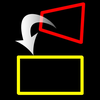
You can convert such perspective distorted quadrangle to the original subject rectangle.
Cut out a free-form quadrangle from the photo and convert it to a rectangle.
The cropping quadrangle does not have to be a right angle, and it is OK to use a trapezoid, a rhombus, a parallelogram, or a freeform quadrangle.
If you can not shoot the subject directly in front of you, the photos will have perspective.
To be precise, even if taken straight ahead, some distortion is inevitable.
However, with this app, even photos taken from an oblique direction can be converted to rectangular images viewed from the front.
You can edit the position of the corner mark for clipping while checking the clipping image on the preview screen in real time.
Material picture
- Photographing (camera)
- Selection of photo (camera roll)
Save cropped image
- Save image (Camera roll)
- Image sharing (Twitter, Facebook, LINE, Dropbox etc.)
Cropped image settings
- 4 corner marks for clipping (movement by drag operation)
- The amount of movement of the corner mark
- aspect ratio
- Horizontal perspective correction
- Vertical perspective correction
- Resolution of saved image