Civil Material Estimator

Civil Material Estimator Summary
Civil Material Estimator is a free iOS app in Productivity by G Sanghani. Released in Apr 2019 (7 years ago). It has 1.00 ratings with a 5.00★ (excellent) average. Based on AppGoblin estimates, it reaches roughly 1.00 monthly active users . Store last updated Sep 22, 2020
Civil Material Estimator SDKs Summary
App not yet scanned for SDKs.
5★
Ratings: 1.00
Screenshots

App Description
Civil Material Estimator is an app that lets you calculate volume, material quantity for given area.
Key features of the app are:
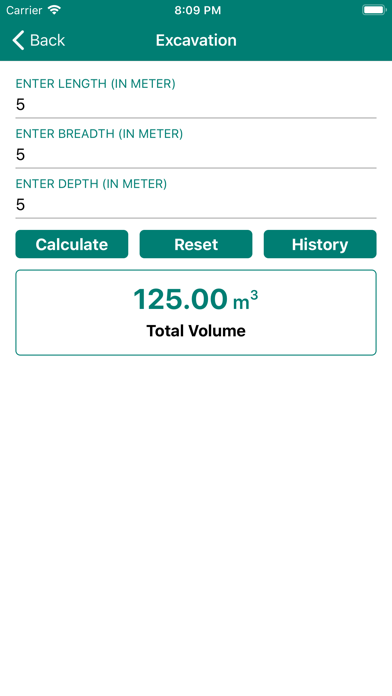
» Excavation - Enter the length, breadth, and depth for the required area and find out excavation volume in meter cube.
» Plain Cement Concrete (PCC) - Enter length, breadth, and depth in a meter. Select grade of concrete from the industry standard value like M20 (1:1.5:3), M15 (1:2:4), M10 (1:3:6), M7.5 (1:4:8)
» Anti-Termite Treatment - Length, and Breadth are required to calculate the quantity of anti-termite chemical needed.
» Water Sump / Tank - Length, Breadth, and Depth are required to calculate the volume in a liter of water sump/tank.
» Reinforced Cement Concrete (RCC) - Select required RCC members from given values like footing, column, beam, or slab. Select footing types from given values like pedestal footing, raft footing, slop footing. Enter length, breadth, depth for the required area. Select grade of footing from the given values like M20 (1:1.5:3) or M25 (1:1:2). Calculate result contains volume in meter cube. The result will contain values like Quantity of Sand, Cement, and Aggregate required for the given area of RCC construction.
» Concrete Block - Enter length and depth for the calculated number of concrete block required. Select concrete block size for the available options like 10cm or 15cm or 20cm Block. Select ratio from the available option likeC.M 1:5, C.M 1:4, C.M 1:3. The result will contain the area in meter cube and material quantity required.
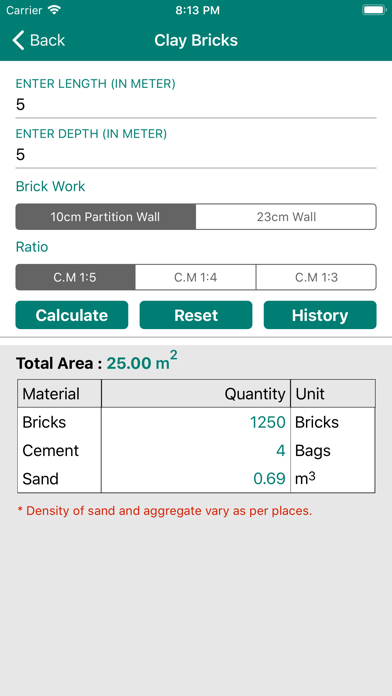
» Clay Bricks - Enter length and depth to calculate the required number of clay bricks. Select brickwork from the available option like 10cm partition wall or 23 cm wall. Select ratio from the available options like CM 1:5, CM 1:4 OR CM 1:3. The result will contain values like area, and material required.
» Plastering - Enter length and depth, select plaster type from available option like 12mm thick ceiling, 15mm thick internal, 12 mm thick rough, or 18mm thick external. Select ceiling plaster ratio from the available option like C.M 1:4 OR C.M 1:3. The result contains values like area in meter cube and material required.
» Wood Frames - Enter the length, depth, and thickness and calculate the volume in meter cube.
» Flooring - Enter length, and breadth values and calculate area and material required.
» Share - You can share this app w