Prizmo › Document Scanner, OCR

Prizmo › Document Scanner, OCR Summary
Prizmo › Document Scanner, OCR is a free, with in-app purchases iOS app in Productivity by Creaceed SRL. Released in Aug 2019 (7 years ago). It has 607 ratings with a 4.40★ (good) average. Based on AppGoblin estimates, it reaches roughly 1.6K monthly active users and generates around $<10K monthly revenue (100% IAP / 0% ads). Store last updated Jul 21, 2026
Prizmo › Document Scanner, OCR SDKs Summary
App not yet scanned for SDKs.
4.4★
Ratings: 607
Screenshots


App Description
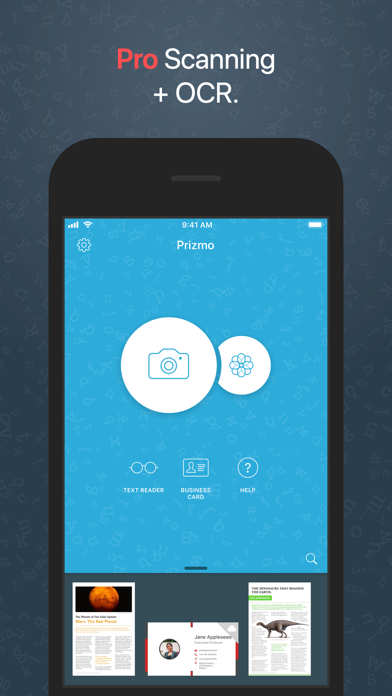
Prizmo is the most capable scanner app for iPhone & iPad to create stunning scans of documents or process business cards from photos. Prizmo offers an efficient capture workflow, powerful editing capabilities, a choice of highly accurate OCRs, text-to-speech & accessibility features, searchable PDF & DOCX exports, and comprehensive automation, all packaged in an elegant & intuitive user interface.
Prizmo will be your trusted mobile scanner, always at hand.
*** Featured in an Apple Keynote presentation ***
"Prizmo is a remarkably deep app that includes a myriad of other features."
— John Voorhees (MacStories)
"When it comes to mobile scanner apps, Prizmo 5 is unmatched for its fast, streamlined workflow and high-quality scans."
— J.R. Bookwalter (MacWorld)
PHOTO CAPTURE
• Capture workflow tailored for speed: in just 3 taps, have your document scanned, cleaned up, cropped, and text-recognized to a multi-page PDF right into your cloud
• Highest quality scans: up to 300+ DPI
• State-of-the-art page detection
• Autoshoot
• Quality review: keep or reshoot
• Innovative stabilization
• Multi-page support
TEXT RECOGNITION
• Reliable & accurate on-device OCR with machine learning in 30 languages(*)
• High-performance Cloud OCR in 139 languages(*) + handwriting recognition
• Fine-grained OCR editing: text & regions, binarization, text polarity
• Structural analysis with CoreML
• Background processing
ENHANCE, EDIT & EXPORT
• Adjust rotation, perspective crop, cleanup mode (black/white, color, gray), brightness & contrast, edge repair
• Flattening of curved contents (books & magazines)
• Powerful non-destructive editing: original photo can always be reprocessed from scratch without reshooting
• Export formats: searchable PDF, Microsoft Word DOCX with original layout, TXT, PNG, JPEG
• Advanced PDF options: password protected PDF, efficient compression formats
(customizable JPEG quality, CCITT G4, JBIG2) to generate small files
• Auto Upload: PDFs are automatically sent to your cloud (iCloud, Dropbox, OneDrive, WebDAV)
• Export business cards to Contacts or as vCard
• Smart actions: interact with detected phone numbers, dates, locations, email addresses, URLs
ANNOTATION & MARKUP
• Powerful annotation engine that works with Apple Pencil, capacitive pencils or finger
• Annotate papers, fill out forms, or sign documen