Speech Assist Switch

Speech Assist Switch Summary
Speech Assist Switch is a mobile iOS app in Medical by Ton Schalke. Released in May 2019 (7 years ago). It has 10 ratings with a 4.40★ (good) average. Based on AppGoblin estimates, it reaches roughly 23 monthly active users . Store metadata: updated May 26, 2026.
Store info: Last updated on App Store on May 26, 2026 .
4.4★
Ratings: 10
Screenshots
App Description
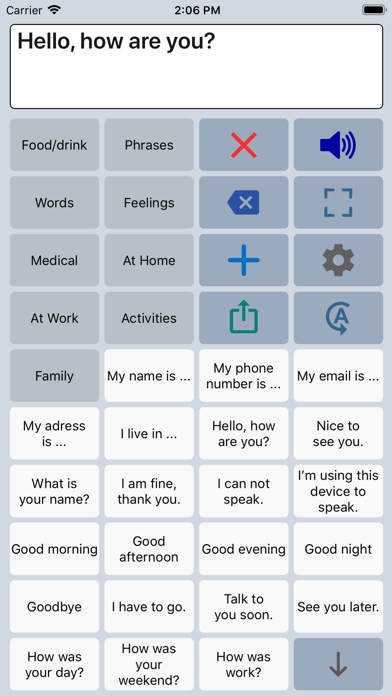
Speech Assist Switch is an AAC app for people who are speech impaired and is designed to be used with iOS Switch Control. With Switch Control people with motor difficulties can operate their iPad with a switch.
The app has special features for scanning with iOS Switch Control like the option to adjust the scanning pattern and has page up/down navigation buttons to avoid scrolling.
If you don’t need these features, the original app ‘Speech Assistant AAC’ is the better choice.
Key features
• The app is designed for the iPad.
• Easy to use and completely customizable to your needs and preferences.
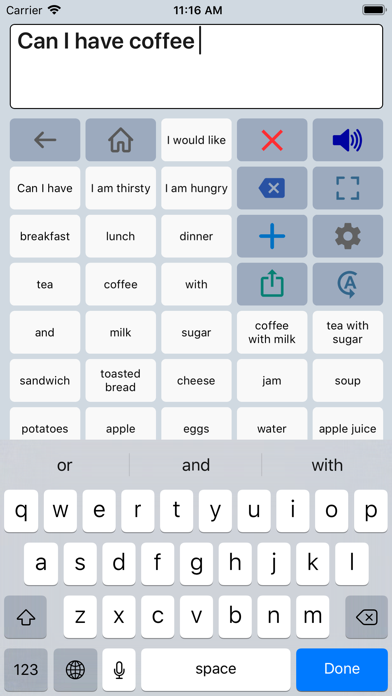
• Categories and subcategories to organize your phrases.
• History for quick access to previously typed phrases.
• Option to select photos from your Photo Library or Symbols on the buttons.
• Option to record speech or use one of the many iOS text-to-speech voices.
• Full screen button to show your message with a large font.
• iCloud backup and restore (also for recordings).
Special features for iOS Switch Control
• The scanning pattern can be adjusted in the settings.
• All the button are created in one large grid.
• The buttons can be made very small, in the settings you can choose from 6 to 12 buttons per row on an iPad.
• The category buttons can be placed anywhere and it is possible to create subcategories.
• Navigation through the pages can be done with page up/down buttons.
• A special optional bar for the keyboard with buttons to move the cursor a letter or word.
Scanning pattern
• When iOS Switch Control is enabled, the default scanning pattern scans row by row and then button by button.
This is not always efficient and therefore the scanning pattern can be adjusted in the settings:
• The number of rows that will be grouped during scanning.
• The number of buttons in a row that will be grouped during scanning.
Categories and phrases
• Add, change or delete your own (sub)categories and phrases.
• You can create an unlimited number of categories to organize your phrases for quick access.
• Create users with their own categories, phrases and voice for different languages, persons or situations.
• In the settings you can quickly and easily edit multiple phrases at once.
• Backup and Restore your categories and phrases to iCloud, also convenient for transferring them to another iPhone/iPad.
Fully Customizab