ZuboraCamera +Scan

ZuboraCamera +Scan Summary
ZuboraCamera +Scan is a free, ad-supported, with in-app purchases iOS app in Photo And Video by sky-nexus Inc.. Released in Jun 2019 (7 years ago). It has 2.00 ratings with a 5.00★ (excellent) average. Based on AppGoblin estimates, it reaches roughly 1.00 monthly active users and generates around $<10K monthly revenue (27% IAP / 73% ads). Store last updated Aug 20, 2026
ZuboraCamera +Scan SDKs Summary
App not yet scanned for SDKs.
5★
Ratings: 2.00
Screenshots
App Description
Just select and tap!
A camera application with a scan function that can perform from high-quality shooting to organizing photos and videos with two simple operations.
It is easy to roughly divide the album(folder).
Since the data is distributed to the storage destination at the same time as shooting, it also saves time for organizing! !
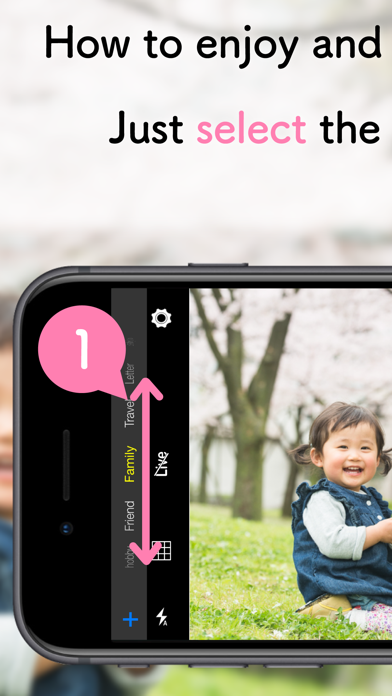
Selection of save destination is easy operation with slide! !
■ Simple operability
1. Select the save destination album
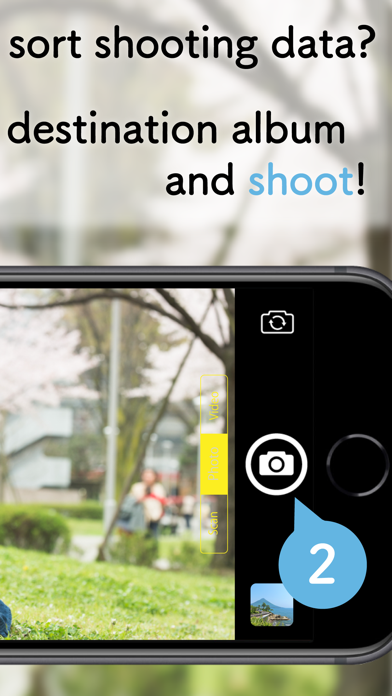
2. Release the shutter
With just these two operations, you can do everything from shooting to organizing.
Of course, the same operation can be performed for all shooting scenes of photos, videos and scans.
■ Scan function
With the scan feature, you can save paper as data in an album.
Paper recognition, clipping, and correction are easy because they are performed automatically.
There is no display of the confirmation screen after shooting by scanning, so you can shoot continuously.
The scanned data is saved in the specified album of the photo app.
■ Destination
The save destination of the captured data is saved in the photo app on the device.
If you select an album and shoot, it will be saved to the selected album in My Album.
As it is saved to the device itself, it is also suitable for offline viewing.
■ glad function
- Shooting in high quality.
- Support high efficiency format (HEIF / HEVC) (iPhone 7 or later)
-> The data size is reduced by about half while maintaining the image quality as compared to the standard storage format, reducing the storage pressure on the device.
* The default setting is compatibility priority (JPEG / H.264).
- Save to existing album is possible
-> You can also save to my album you have already created, so albums can be integrated without dispersion.
* If you want to save to an existing album, you can select it by adding an album from the "Edit Album" option. For more information, see the optional Help.
■ Such a function too!
- Shoot movies
- LivePhotos shooting is possible (iPhone 6s or later)
■ URL scheme
com.sky-nexus.zuboracamerascan://
Main function
- Photo aspect ratio Normal (4: 3)
- Photos aspect ratio during movie shooting Wide (16: 9)
- Shooting LivePhotos
- Supports HEIF storage of photos
- Supports HEVC storage of video
- Delete data on the preview screen
- Shake correction
- Focus Lock
- Flash
- Retina Flash
- 10 times Zoom
- Add a n