Hours X: Clock In Work Time

Hours X: Clock In Work Time Summary
Hours X: Clock In Work Time is a free, with in-app purchases iOS app in Business by Amogh Joshi. Released in Jun 2019 (7 years ago). It has 1.3K ratings with a 4.55★ (excellent) average. Based on AppGoblin estimates, it reaches roughly 5.9K monthly active users and generates around $<10K monthly revenue (100% IAP / 0% ads). Store last updated Mar 18, 2021
SDK intelligence: AppGoblin detected 3 development tools(e.g. Alamofire), 1 analytics: attribution, 1 analytics: product,and 1 ad networks integrated into Hours X: Clock In Work Time. View full SDK list →
Hours X: Clock In Work Time SDKs Summary
Hours X: Clock In Work Time was last scanned for SDKs on 2026-01-24. Below is the overview of third-party companies detected in the app. The full list of SDKs, permissions and unknowns is available here.
AppGoblin saw Hours X: Clock In Work Time uses 1 Analytics: Attribution
 Adjust
AppGoblin saw Hours X: Clock In Work Time uses 1 Analytics: Product
 Firebase
AppGoblin saw Hours X: Clock In Work Time uses 3 Development Tools
 Alamofire
 Google
 nanopb
AppGoblin saw Hours X: Clock In Work Time uses 1 Ad Networks
 Snap
Snap4.55★
Ratings: 1.3K
Screenshots
App Description
Tracking work hours & earnings now made effortless with the Hours X app.
With the easy clock in and clock out feature, the Hours X app helps you to track work hours & calculate earnings for all your full-time & part-time jobs.
Forgot to clock in or clock out? We got it sorted for you. You can enter your work hours manually and don’t miss tracking even a single hour.
FEATURES:
*CLOCK IN AND OUT*
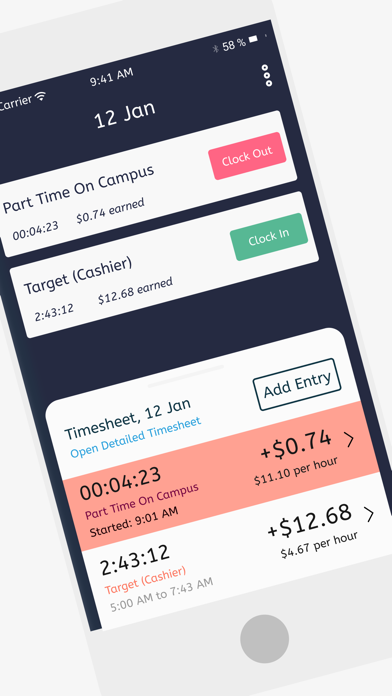
One tap clock in and clock out lets you track your work time easily. Moreover, you can also add working hours manually. Hours X automatically calculates real-time earnings based on hourly rates.
*AUTO CLOCK IN AND OUT*
Too rushed up to Clock in when you start working or too chilled to clock out when you are done working? Set up clock in & clock out time and the app will track your work hours automatically.
*TIMESHEET*
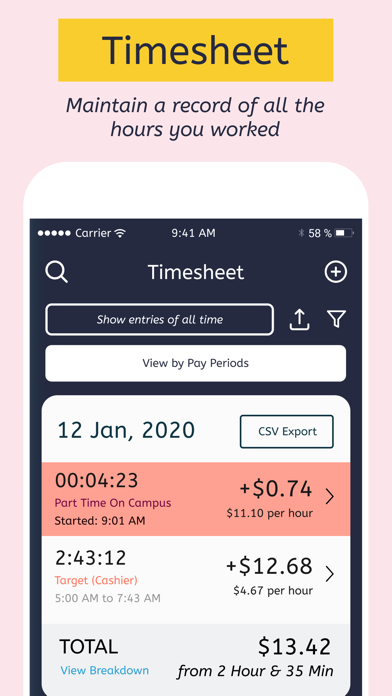
Manage all your time entries in one single timesheet. The app automatically calculates your pay based on the number of hours recorded in the timesheet.
*CSV EXPORT*
Export the timesheet on your device or cloud storage in a CSV format. Moreover, you can share the exported timesheet over AirDrop, email, messages, and many more directly from the app.
*NOTES*
Take specific notes with each entry. Notes also make it convenient to search for those entries.
*BREAK SCHEDULE*
Break schedule allows you to automatically clock out when your lunch break starts and clock in back when the lunch break ends.
*CALENDAR*
Manage all your timesheet in a calendar and view your time entries by dates.
*FILTERS*
Filter your timesheet by days, weeks, months, or jobs.
*OVERTIME*
The app automatically calculates your overtime earnings using your existing hourly rate.
*TAX & DEDUCTIONS*
The app automatically calculates your actual earnings by subtracting your taxes and deductions.
IN-APP-PURCHASE TERMS
Some of the features in the app require the user to subscribe to Hours X Pro Subscription. This is an annual auto-renewable subscription, with a price of $20 per year. The user will be charged for renewal within 24-hours prior to the end of the current period. Subscription automatically renews unless auto-renew is turned off at least 24-hours before the end of the current period. Subscriptions may be managed by the user and auto-renewal may be turned off by going to the user's Account Settings after purchase.
Privacy Policy URL: https://docs.google.com/