PDF Scanner・Document Scanner・

PDF Scanner・Document Scanner・ Summary
PDF Scanner・Document Scanner・ is a free, ad-supported, with in-app purchases iOS app in Business by Protools LLP. Released in Jan 2020 (6 years ago). It has 14K ratings with a 4.51★ (excellent) average. Based on AppGoblin estimates, it reaches roughly 80K monthly active users and generates around $<10K monthly revenue (29% IAP / 71% ads). Store last updated Aug 1, 2026
Recent activity: 1.00 new ratings this week View trends →
SDK intelligence: AppGoblin detected 5 development tools(e.g. Google), 4 ad networks,and 1 analytics: product integrated into PDF Scanner・Document Scanner・. View full SDK list →
PDF Scanner・Document Scanner・ SDKs Summary
PDF Scanner・Document Scanner・ was last scanned for SDKs on 2026-10-13. Below is the overview of third-party companies detected in the app. The full list of SDKs, permissions and unknowns is available here.
 Google
 Facebook
 Snap
Snap AdMob
AdMob nanopb
 Alamofire
 MongoDB
 Firebase
4.51★
Ratings: 14K
Screenshots



App Description
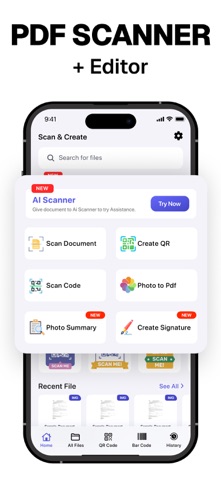
PDF Scanner our free scanner app to scan anything you need:
Documents, Passport, Licence IDs, business documents, agreements, letters, invoices, order sheets, receipts
Scanner and management documents with your iOS device!!!
Scanner App is a handy scanner app that will turn your iOS device into a powerful mobile scanner. Easily scan, save and share any document in PDF or JPEG format.
You can scan the documents and attach them together save and share as PDF and JPEG. Make folders cope and move any where in the app.
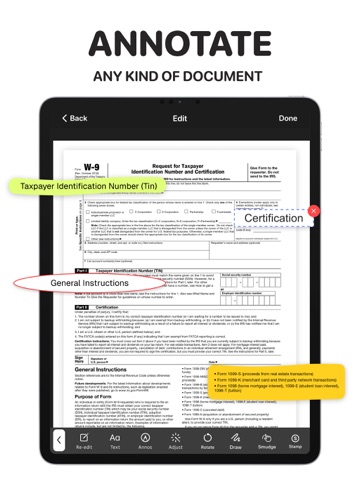
Draw and import your signature makes easier for doing business deals. Annotate the documents, receipts, fax papers , books store your scans as multipage PDF or JPEG files.
Share your scans via:
- iMessage or email documents as PDF, JPEG, or PNG, or save to Camera Roll.
- Export the scanned documents to Dropbox, Google Drive , or open in any 3rd party application
E-sign & stamp documents right on your iOS device:
- Add one or several signatures and stamps into the app
- Add the e-sign to scanned pages in a moment
Features PDF Scanner :
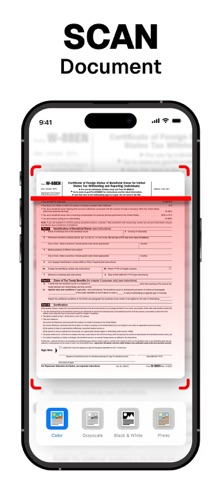
– Scan to the highest quality PDF or JPEG
– Save scans in high quality grayscale, black and white or color
– Automatic border detection for documents makes them advanced scanner
– Advanced processing and color correction
– Choose between low, medium and HD scan quality
– Multipage scanning ability scan as many pages as you like
– ID and Passport scanning modes
UNLIMITED ACCESS SUBSCRIPTION
• You can subscribe for unlimited access to all features and content offered for purchases within PDF Scanner
• Subscriptions are billed monthly, weekly or annually at the rate selected depending on the subscription plan
• Payment will be charged to your iTunes Account at confirmation of purchase
• Subscription automatically renews at the cost of the chosen package unless auto-renew is turned off at least 24-hours before the end of the current period
• Account will be charged for renewal within 24-hours prior to the end of the current period, and identify the cost of the renewal
• Subscriptions may be managed by the user and auto-renewal may be turned off by going to the user's Account Settings after purchase
• If eligible for free trial and you subscribe before your free trial ends, the rest of your free trial
period will be forfeited as soon as your purchase is confirmed. Subscriptions will