ARTFL Encyclopédie Reader

ARTFL Encyclopédie Reader Summary
ARTFL Encyclopédie Reader is a free iOS app in Books And Reference by The University of Chicago. Released in Jun 2019 (7 years ago). It has 3.00 ratings with a 3.67★ (average) average. Based on AppGoblin estimates, it reaches roughly 6.00 monthly active users . Store last updated Apr 4, 2023
ARTFL Encyclopédie Reader SDKs Summary
App not yet scanned for SDKs.
3.67★
Ratings: 3.00
Screenshots



App Description
The ARTFL Encyclopédie Reader app is a text search and retrieval interface that interacts with a fulltext-searchable version of the Encyclopédie of Diderot and d'Alembert running on the ARTFL Project's servers at the University of Chicago. Users can do simple word or bibliographic searches and, from search results, link to larger text sections.
The "Encyclopédie ou Dictionnaire raisonné des sciences, des arts et des métiers, par une Société de Gens de lettres" was published under the direction of Diderot and d'Alembert, with 17 volumes of text and 11 volumes of plates between 1751 and 1772. Containing 74,000 articles written by more than 130 contributors, the Encyclopédie was a massive reference work for the arts and sciences, as well as a machine de guerre which served to propagate the ideas of the French Enlightenment. The impact of the Encyclopédie was enormous. Through its attempt to classify learning and to open all domains of human activity to its readers, the Encyclopédie gave expression to many of the most important intellectual and social developments of its time.
To browse tables of contents of volumes, either touch the highlighted "touch here" link on the home page or touch the information icon in the lower right of the screen and select "Browse by Volume."
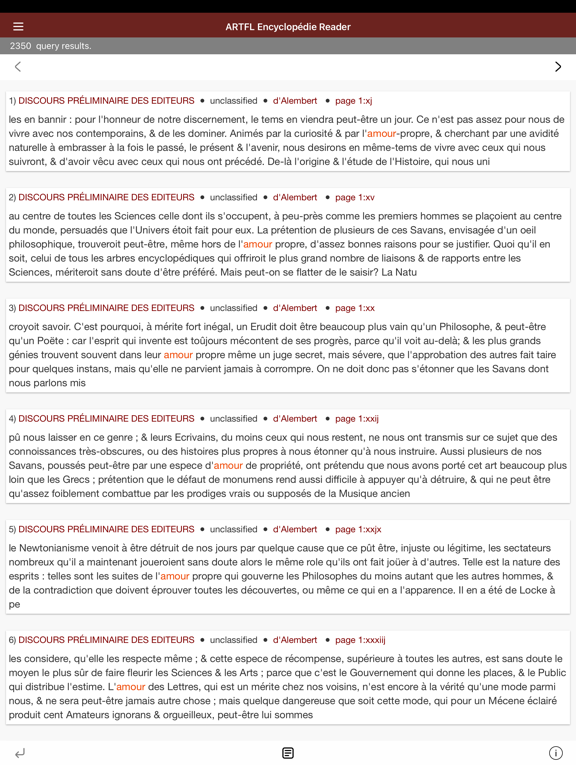
To search or retrieve texts, touch the three line icon on the left side of the Navigation Bar. A search form drawer will toggle on the left side of the screen. To search for occurrences of a word in the database, fill in the "Search terms" field. Search terms are not accent sensitive: for example, entering "eclat" will return all instances of "éclat". Note also that wildcard characters will expand search terms. For example, "amour.*" will retrieve instances of "amour," "amoureux," "amoureusement," etc.
The default report for word searching is a concordance report. Search results are displayed 25 at a time. Use the arrow buttons at the top of the screen to click through results. Touching a list item will retrieve a larger chunk of text for reading.
To generate a word frequency report by various bibliographic parameters, scroll through the picker menu under "Choose a search report". Results will display in a complete list. Touch links to retrieve a concordance report for the individual frequency results.
To delimit word searches by author, title, or other bibliographic parameter,