Focus Tomato - Let's focus now

Focus Tomato - Let's focus now Summary
Focus Tomato - Let's focus now is a free, with in-app purchases iOS app in Productivity by CHIH-SHAN LIU. Released in Sep 2019 (7 years ago). It has 25K ratings with a 4.88★ (excellent) average. Based on AppGoblin estimates, it reaches roughly 64K monthly active users and generates around $<10K monthly revenue (100% IAP / 0% ads). Store last updated Sep 22, 2026
Recent activity: 3.00 new ratings this week View trends →
SDK intelligence: AppGoblin detected 1 ad networks(e.g. Facebook),and 1 development tools integrated into Focus Tomato - Let's focus now. View full SDK list →
Focus Tomato - Let's focus now SDKs Summary
Focus Tomato - Let's focus now was last scanned for SDKs on 2026-05-04. Below is the overview of third-party companies detected in the app. The full list of SDKs, permissions and unknowns is available here.
 Facebook
 MongoDB
4.88★
Ratings: 25K
Screenshots



App Description
## App Of The Day - Apple
## New Apps We Love - Apple
## Try These Out - Apple
## Student App of the Month - The App Brewery (London)
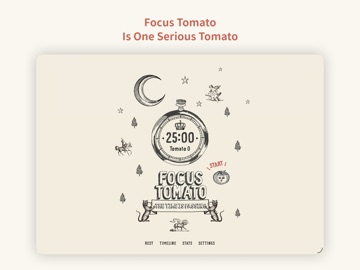
Focus Tomato is a serious tomato helping you stay focused.
Cheer you up when you succeed.
—— Recommended consuming order ——
Step 1: Goal setting
If the goal is too big, break it down.
Step 2: only focus for 25 minutes
* Only focus on one thing
* Avoid distraction; make efforts to keep the Tomato running (ex. if someone hits you up, tell him/her getting back to you shortly!)
* Better to watch the timer counting
Step 3: Rest for 5 minutes
* Not suitable for mental consuming tasks
* Light activities that are good for your mind and body
* Pause your work momentarily can help you view things from another perspective and avoid couldn't see the forests for the trees.
Step 4: Repeat 4 times, then take a more extended rest for 15 to 30 minutes
Repeat the previous two steps for 4 times, and take a 15 to 30 minutes long rest
—— After taking it, you can gain the following benefits on top of straight As ——
* Prevent distracting and stay focused more easily: counting down timer brings good stress
* Reduce interruptions: postpone other tasks; most things can wait for 25 minutes
* Avoid procrastinating: when the timer is running, it means the declaration of a focused time frame
* Endure longer: with adequate rest, you can run further
—— Features of “Focus Tomato” ——
Based on the Pomodoro method with new spice-ups and improvements.
* Do not force stop; keep the flow
Classical Promodoro clock asks you to stop working asap when time is up; Focus Tomato only notifies you with sound and does not force you to stop. You can keep staying in the zone and running the timer.
* Fractional time is allowed
Classical Promodoro clock requires to maintain 25 minutes duration. Focus Tomato freely lets you count the fractional time as long as it starts running.
* Modifiable Timeline
It is usual to forget to stop the timer. Focus Tomato allows you to modify the Timeline and make adjustments afterward.
* Do Not Disturb mode is available
Distracted by too many notifications? Do Not Disturb mode can be enabled when Focus Tomato is running.
* Integrate smoothly with other work methods and/or apps
Because the app only applies the timing part of the Promodoro technique, in addition to the original Promodoro