Slow Motion Video Editor ®

Slow Motion Video Editor ® Summary
Slow Motion Video Editor ® is a ad-supported, with in-app purchases iOS app in Photo And Video by Huynh Thuy. Released in Jul 2019 (6 years ago). It has 494 ratings with a 4.26★ (good) average. Based on AppGoblin estimates, it reaches roughly 250 monthly active users and generates around $<10K monthly revenue (35% IAP / 65% ads). Store metadata: updated Jun 7, 2026.
Store info: Last updated on App Store on Jun 7, 2026 .
4.26★
Ratings: 494
Screenshots


App Description
The SlowMotion is a powerful application that allows you to create stunning slow motion videos effortlessly. Whether you want to capture a memorable moment in slow motion or enhance the visual appeal of your footage, this app has got you covered.
With its intuitive interface, you can easily import your videos and choose the exact moments you want to slow down. Simply move the points up or down to adjust the speed and create the desired slow motion effect. You also have the option to apply different speeds to different parts of the video, giving you complete creative control.
Take your slow motion to the next level with AI Smooth Motion. Powered by advanced frame interpolation, AI Smooth Motion analyzes your edited video and generates natural in-between frames so motion stays fluid even in heavy slow-down sections. The result is ultra-smooth playback with a minimum frame rate of 60 fps—ideal for dramatic sports clips, action shots, and cinematic moments that would otherwise look choppy. Apply it after you set your speed curve, preview the result, and keep editing with filters, music, and text on top of your smoothed footage.
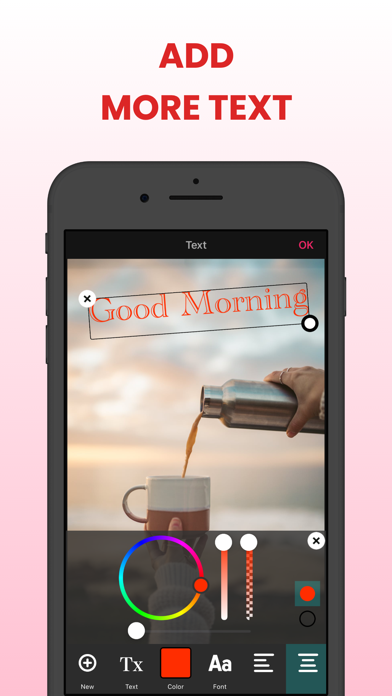
In addition to its speed adjustment features, the Slow Motion Video Editor offers editing tools to enhance your videos further. You can add filters, add background music, and add text to personalize your creations.
Once you are satisfied with your slow motion masterpiece, you can save it in various formats and resolutions, making it compatible with different devices and platforms. You can also directly share your videos on social media platforms, allowing you to showcase your creativity and impress your friends and followers.
Whether you are a professional videographer or someone who enjoys capturing and editing videos for fun, the Slow Motion Video Editor is a must-have app for creating captivating slow motion videos. Its user-friendly interface, versatile editing features, AI-powered smooth motion, and seamless sharing options make it the perfect tool to bring your videos to life in slow motion.
Features:
+ Choose a video from Photo Library, Files or record a new video with the camera.
+ Trim/cut the selected video.
+ Adjust slow and fast motion speed with 2 modes: basic and advance.
+ AI Smooth Motion: AI frame interpolation for buttery-smooth slow motion
+ Add background music to the video
+ Apply video filter to make your vi