Vintage Film Camera: Pixo Cam

Vintage Film Camera: Pixo Cam Summary
Vintage Film Camera: Pixo Cam is a with in-app purchases iOS app in Photo And Video by Stan Gerards. Released in Dec 2019 (6 years ago). It has 987 ratings with a 4.70★ (excellent) average. Based on AppGoblin estimates, it reaches roughly 713 monthly active users and generates around $<10K monthly revenue (100% IAP / 0% ads). Store metadata: updated Oct 17, 2023.
Recent activity: 1.00 new ratings this week View trends →
Store info: Last updated on App Store on Oct 17, 2023 .
4.7★
Ratings: 987
Screenshots


App Description
Open Pixo, select from various Film Packs and take photos using the camera! Simply point and shoot, it’s that easy! You can also import existing photos from your camera roll.
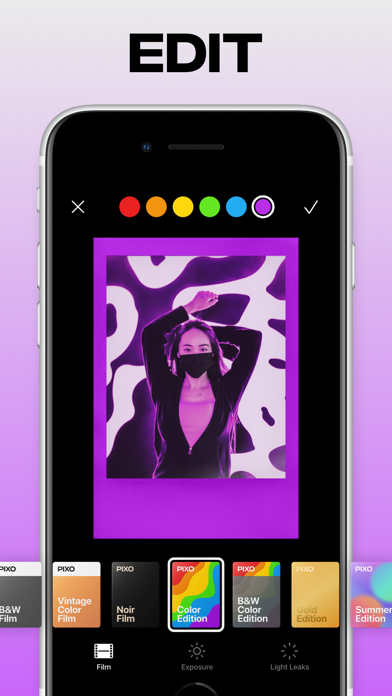
Your photos will be processed just like real instant film photos. We have carefully developed various different preset filters, light leaks and instant film frame borders, each Pixo will be unique!
Pixo’s will be stored in the in-app Photo Lab. Not satisfied with the desired effect? Unfold your creativity and edit your Pixo: Change the Film Pack, correct the Exposure and update or remove Light Leaks.
You can save Pixo’s in different formats and sizes. ‘Normal’ will save your Pixo without a background, the ‘Square’ option is perfect for Instagram posts and the ‘Stories’ option is made for stories (or use them in your TikTok videos!).
Follow us on Instagram @pixo.cam and share your photos using #pixo to be featured! Check out our Instagram posts and story highlights for inspiration and tips and tricks on how to create Pixo’s.
Pixo PRO Trial and Subscription Terms:
Start your Pixo PRO membership with a free trial. Once the trial is over, you’ll be charged a monthly subscription fee. Your Pixo PRO membership will automatically renew unless auto-renew is turned off at least 24 hours before the end of the current period. You can go to your Settings > iTunes Account & App Store > Apple ID > Subscriptions to manage your subscription. Your iTunes Account will be charged when the purchase is confirmed. You can only use the free trial once.
Terms of Use:
https://pixo.cam/terms-of-use
Privacy Policy:
https://pixo.cam/privacy-policy
Disclaimer Notice:
Formerly known as Polax, Pixo is provided as Stan Gerards’ own product. This app is not the official app of Fujifilm Instax or any others. Stan Gerards has made every effort to ensure not to infringe other’s copyrights or trademarks.