Drawing ▫

Drawing ▫ Summary
Drawing ▫ is a free, with in-app purchases iOS app in Productivity by Vora Bhavik. Released in Nov 2019 (6 years ago). It has 31K ratings with a 4.10★ (good) average. Based on AppGoblin estimates, it reaches roughly 83K monthly active users and generates around $<10K monthly revenue (100% IAP / 0% ads). Store last updated Apr 2, 2026
Recent activity: 8.00 new ratings this week View trends →
Drawing ▫ SDKs Summary
App not yet scanned for SDKs.
4.1★
Ratings: 31K
Screenshots


App Description
DrawingApp - Create amazing drawing art on the go with Drawing App for iPhone & iPad.
Create amazing drawing ideas to life. Use DrawingApp's state-of-the-art brushes and tools to sketch, type, paint, and draw. Take your drawing creations to wherever your thoughts want to go!
1. Sketch Desk:
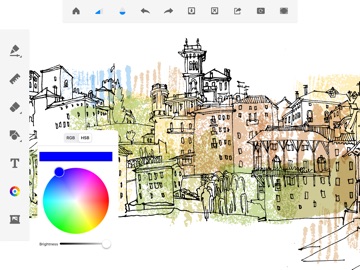
DrawingApp has 40+ handcrafted style paintbrush and millions of colors to choose from.
Focusing on food and shelter is for common men. Pouring your creativity through DrawingApp is for unique humans: the misfits, the rebels, the art markers. The ones who not only see things differently but produce different, creative art. Here's to the common men who can now be an artist with the DrawingApp!
Here is a minimalistic set of tools that can help you create the art you want:
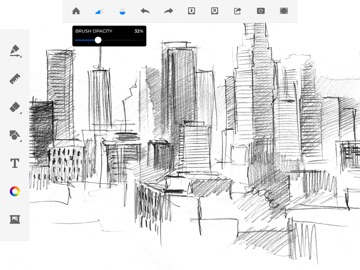
a. 40+ handcrafted brush tools that can help you imitate the real paintbrush;
b. Ruler to create straight lines to your needs;
c. Eraser to change or modify a drawing on the go;
d. Embed picture and drawing in one art;
e. Install the DrawingApp to know more!
FEATURES
- Paint. Draw, Sketch. Repeat
- Draw smoothly like never before on iPad or iPhone.
- Draw creative sketches using 40+ brushes and tools
- Enhance your drawing by importing pictures and photos
- Zoom to paint fine details
- Share instantly
2. Doodle Desk (NEW)
With Doodle Desk you can create dazzling sketches, wonderful paintings & awesome illustrations!
Key Feature:
1. Draw, Sketch & Paint anything.
2. You will find Every color to draw.
3. You can also customize your color as you wish.
4. Import photo from gallery or by capturing a new photo. Draw on photo. Have fun!
5. Rotate & scale photos as much as you want.
6. You can change Brush size & Opacity settings.
7. Undo & Redo option for your every action.
8. Made very easy & convenient to use.
9. Save artworks in gallery & share them into any social network you want.
10. Record & share your art work
3. Coloring Desk:
- Custom mandalas: bring your unique designs to life in the mandala creation mode
- 20+ categories of unique colouring pages from talented illustrators
- 40+ beautiful preset Solid and Gradient colour palettes
- Custom palettes: combine any colours you like to create a matchless work of art
- Various colouring tools
- Post-editing effects
4. Kids Desk:
- Funkiest canvas with 10 + drawing tools including pen, pencil, chalk, marker, Fill, glitter, gradient and watercolo