Video Saver Offline - Clicha

Video Saver Offline - Clicha Summary
Video Saver Offline - Clicha is a free, ad-supported, with in-app purchases iOS app in Photo And Video by Yuichi Matsuoka. Released in Dec 2019 (6 years ago). It has 47K ratings with a 4.42★ (good) average. Based on AppGoblin estimates, it reaches roughly 20K monthly active users and generates around $<10K monthly revenue (46% IAP / 54% ads). Store last updated Sep 11, 2026
SDK intelligence: AppGoblin detected 4 ad networks(e.g. Google), 4 development tools, 1 analytics: product,and 1 analytics: attribution integrated into Video Saver Offline - Clicha. View full SDK list →
Video Saver Offline - Clicha SDKs Summary
Video Saver Offline - Clicha was last scanned for SDKs on 2026-08-13. Below is the overview of third-party companies detected in the app. The full list of SDKs, permissions and unknowns is available here.
 Google
 Facebook
 AppLovin
 Pangle
 Airbnb Engineering
 nanopb
 MongoDB
 Firebase
 Adjust
4.42★
Ratings: 47K
Screenshots


App Description
Save videos on Wi-Fi and enjoy them offline — anytime, anywhere.
Clicha is the trusted video saver with 1M+ downloads, 45,000+ reviews and 4.4 stars.
Background play, PiP, sleep timer, speed control, and more — all in one app.
◆ Save Once, Watch Anytime ◆
Download videos while on Wi-Fi at home, at a café, or at the office. Once saved, watch offline on the train, on a flight, or wherever you go — no internet needed.
◆ Features ◆
• Save videos and watch offline without internet
• Play video and audio in the background
• Auto-Play with controls from Control Center or Lock Screen
• Organize with folders and playlists
• Sort and reorder with drag-and-drop
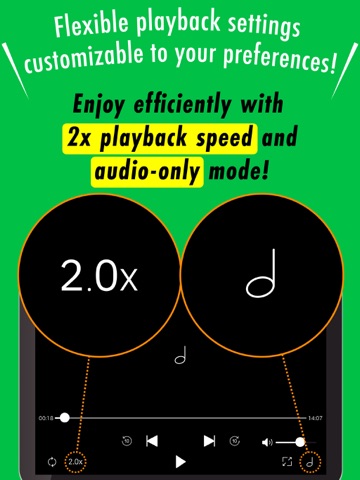
• Repeat, shuffle, speed control (0.5x–2.0x)
• Import from Photos, iCloud Drive, Files, or other apps
• Record from the built-in camera
• Protect videos with passcode lock
• Sleep timer — playback stops automatically
• PiP — watch in a floating window while multitasking
• Background playback on iPad when PiP is off
• Play from Apple Watch
• Home screen widgets for quick access
• Stream to TV with AirPlay
• Back up to iCloud Drive
◆ Background Play ◆
Keep listening after you lock your screen or switch apps. Control playback from Lock Screen or Control Center — skip, pause, adjust volume. Perfect for lectures, podcasts, or music videos.
◆ Picture-in-Picture (PiP) ◆
Shrink the video into a floating window and keep watching while you browse, message, or take notes. Resize or reposition freely. Great for tutorials and cooking videos.
◆ Sleep Timer ◆
Set a timer and let playback stop on its own. Great for falling asleep to ASMR, ambient sounds, or music without draining your battery.
◆ Speed Control ◆
Watch at 0.5x for detailed tutorials or 2.0x to get through lectures faster. Match playback speed to your pace.
◆ Folders & Playlists ◆
Create folders by topic — recipes, workouts, study material, entertainment. Build playlists for continuous playback. Reorder with drag-and-drop.
◆ Recommended for ◆
• Commuters — save on Wi-Fi, watch offline on the train or bus
• Students — download lectures for review anytime
• Travelers — load videos before a flight, watch without Wi-Fi
• Fitness fans — follow workout videos without buffering
• Parents — keep videos ready for car rides and waiting rooms
• Music lovers — list