PDF Scanner App・Scan Document

PDF Scanner App・Scan Document Summary
PDF Scanner App・Scan Document is a ad-supported, with in-app purchases iOS app in Tools by Khanh Le. Released in May 2024 (2 years ago). It has 16 ratings with a 4.99★ (excellent) average. Based on AppGoblin estimates, it reaches roughly 81 monthly active users and generates around $<10K monthly revenue (56% IAP / 44% ads). Store metadata: updated Apr 9, 2025.
Store info: Last updated on App Store on Apr 9, 2025 .
4.99★
Ratings: 16
Screenshots


App Description
Scan PDF is a handy scanner app that will turn your iOS device into a powerful mobile scanner. Easily scan, save and share any document in PDF or PNG format.
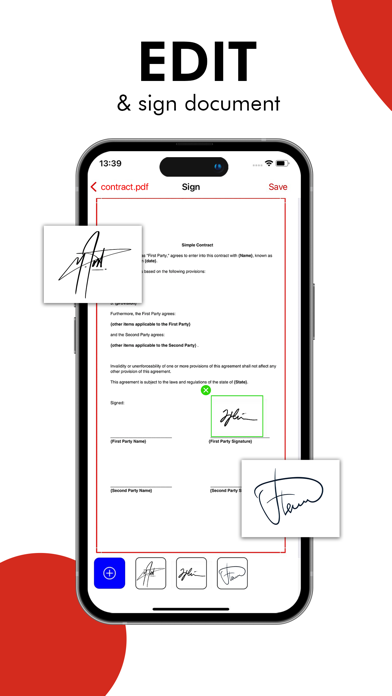
Save even more time with the e-sign feature – add your signature to electronic documents with just a few taps.
Take this portable document scanner anywhere you go for your daily business needs. It doesn't require an Internet connection as all scans are stored locally on your device.
APP FEATURES:
Advanced PDF Scanner App:
– Scan to high-quality PDF or JPEG
– Save scans in grayscale, black and white or color
– Recognize and edit any text from your scans
– Automatic shutter and border detection for any scannable object
– Multipage scanning – scan as many pages as you like
Document Editor:
– E-sign any document by adding your signature to scans within the app
File Manager:
– Sort documents by name, date, type or size
– Choose between table and collection view modes
Document Sharing Tools:
– Share your scans via email
– Easy print your scans with any Wi-Fi printer
– Save scans to Photos
All scanned documents are stored locally on your device, they are inaccessible to us and to any third-party. You can easily share the documents by using the Share option.
Privacy Policy: https://tapfiles.blogspot.com/2019/09/privac-policy.html
Terms of Use: https://tapfiles.blogspot.com/2019/09/licensed-application-end-user-license.html