Texter: Audio & Video to Text

Texter: Audio & Video to Text Summary
Texter: Audio & Video to Text is a free, with in-app purchases iOS app in Business by Yuichi Matsuoka. Released in Oct 2019 (7 years ago). It has 151 ratings with a 4.09★ (good) average. Based on AppGoblin estimates, it reaches roughly 782 monthly active users and generates around $<10K monthly revenue (100% IAP / 0% ads). Store last updated Oct 17, 2026
SDK intelligence: AppGoblin detected 6 development tools(e.g. Google), 2 ad networks,and 1 analytics: product integrated into Texter: Audio & Video to Text. View full SDK list →
Texter: Audio & Video to Text SDKs Summary
Texter: Audio & Video to Text was last scanned for SDKs on 2026-08-26. Below is the overview of third-party companies detected in the app. The full list of SDKs, permissions and unknowns is available here.
 Google
 AdMob
AdMob Amazon
 nanopb
 Alamofire
 Firebase
4.09★
Ratings: 151
Screenshots



App Description
Are you spending countless hours transcribing meetings, interviews or lectures
Texter is an AI transcription app that turns audio, images and video into editable text with a single tap. From meeting minutes and interview notes to subtitles and SRT files, you can handle your entire workflow in one place.
Key new features
・Action items from your summary
Automatically pull out action items from meetings and lectures, then add a reminder with one tap. Due dates and assignees carry over automatically.
・Import from cloud sharing links
Paste a Google Drive, Dropbox, OneDrive or Zoom sharing link and transcribe directly, no download needed.
・Share with a public link
Share a transcript as a page anyone can view, no app install required.
・Speaker Identification
Automatically splits multi person conversations by speaker, so it is instantly clear who said what in a meeting or interview.
・Synced subtitles on video import
Generate subtitles with timestamps when you import a video. Subtitles stay in sync as you play, which makes reviewing and editing much easier for lectures, interviews and recorded meetings.
Why people choose Texter
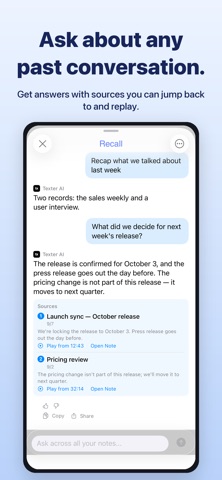
・Ask Your Note: ask AI questions about any transcript and get just the answer you need
・Picture in Picture: keep recording and transcribing in a small window while using other apps
・Speaker Identification: automatically separates multi person conversations by speaker
・Silence cut: automatically detects and removes silent sections from meeting recordings and lecture videos to cut transcription time
・Highly accurate transcription with the latest AI and on device technology
・Extract audio from video, auto create subtitles and edit by sentence with time jump
・Summarize and translate transcripts to turn them into clean meeting minutes (20 summary templates available)
・Real time translation using DeepL and Google, both online and offline
・Turn images, photos, PDFs and screenshots into text with multi page PDF support
・Real time transcription that can also support people with hearing difficulties
・Apple Watch recording: capture the moment without taking out your iPhone, then read the transcript later on iPhone
Use cases
・Meetings
Import recordings, review subtitles and the sentence list, then share only the important parts. When it's over, just ask your note what was decided.
・Online meetings
Turn on Pi