Billiard Wear - Watch Game

Billiard Wear - Watch Game Summary
Billiard Wear - Watch Game is a free, ad-supported iOS app in Sports by Tocapp Games S.L.. Released in Oct 2019 (7 years ago). It has 1.3K ratings with a 4.42★ (good) average. Based on AppGoblin estimates, it reaches roughly 2.3K monthly active users and generates around $<10K monthly revenue (0% IAP / 100% ads). Store last updated Sep 16, 2026
SDK intelligence: AppGoblin detected 1 ad networks(e.g. Google) integrated into Billiard Wear - Watch Game. View full SDK list →
Billiard Wear - Watch Game SDKs Summary
Billiard Wear - Watch Game was last scanned for SDKs on 2026-09-25. Below is the overview of third-party companies detected in the app. The full list of SDKs, permissions and unknowns is available here.
 Google
4.42★
Ratings: 1.3K
Screenshots


App Description
# 1 Billiard game with top view for Apple Watch
How to play on Apple Watch?
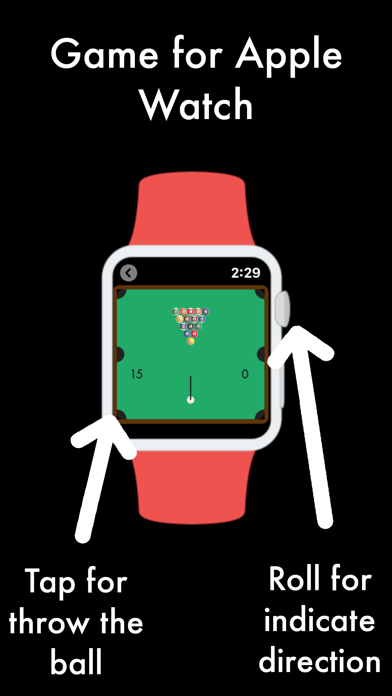
Move the "Digital Crown" wheel to indicate the direction of shooting. Touch the screen to launch. Put all the balls, except the black and white.
And for iPhone?
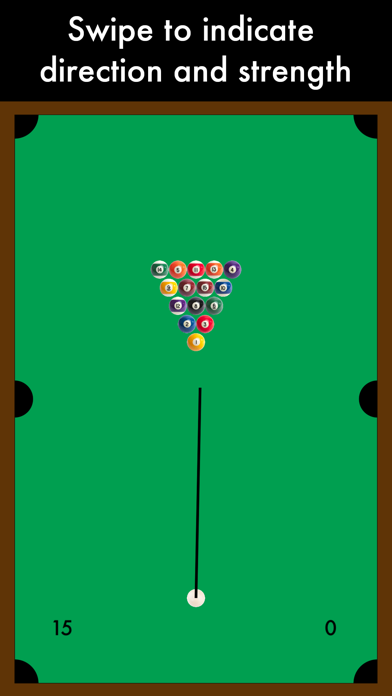
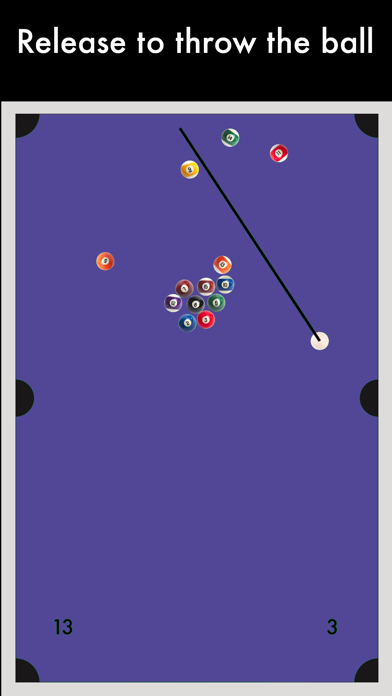
Swipe to indicate direction and strength. Release to throw the ball. Put all the balls except the black and white.
On the board, the value on the left indicates the number of balls missing. On the right, the current number of shots.
*Now can pause the game, really useful on Apple Watch. Only if you have 1 minute, can start a game and resume at another time. Use the "Resume" button for resume an unfinished game.
Send the number of shots used to the Game Center Leaderboard. You can compete with your friends to know who plays better!
To submit the Apple Watch score to the ranking:
1- The iPhone and Apple Watch must be linked.
2- Play with the Apple Watch and before sending the score, open the app on the iPhone. When you press "Send Score" from Apple Watch, a screen on the iPhone with the score will be ready to send.
Now you can know if you are the best on the Apple Watch!