OmniOutliner 3 Enterprise

OmniOutliner 3 Enterprise Summary
OmniOutliner 3 Enterprise is a mobile iOS app in Productivity by The Omni Group. Released in Nov 2019 (6 years ago). It has 1.00 ratings with a 4.00★ (good) average. Based on AppGoblin estimates, it reaches roughly 2.00 monthly active users . Store last updated Oct 28, 2025
OmniOutliner 3 Enterprise SDKs Summary
App not yet scanned for SDKs.
4★
Ratings: 1.00
Screenshots



App Description
OmniOutliner 3 Enterprise simplifies deployment for customers who wish to pay full-price for the Pro edition up front. For most customers, we recommend our normal edition — which uses in-app purchases to support free two-week trials, two levels of functionality (Essentials and Pro), and upgrade discounts. The list price and the functionality of OmniOutliner Pro are the same in both apps.
OmniOutliner 3 for iOS brings structured writing to all your iOS devices.
FEATURES
• Dark Mode: OmniOutliner’s UI automatically adjusts to correspond to the display mode of iOS.
• File Browser: OmniOutliner now uses Apple’s file browser giving you more flexibility with where you store your documents and how they sync.
• Multiple Windows: Increase your productivity on iPadOS by working with two documents at the same time.
• Drag and Drop: Text can be dragged to documents. Rows can be dragged between documents or to other apps.
• Keyword Filtering: Filter the outline by a keyword via the new Filter icon in the toolbar.
• Improved Outline View: Row handles and Status Checkboxes now follow the row indentation level.
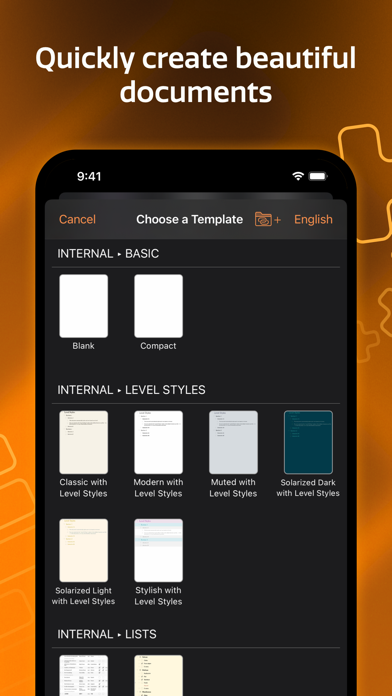
• Templates: Choose a template or apply a theme to an existing document using OmniOutliner’s new Template Picker.
• Printing: Documents can now be printed via the new Print option in the Share menu.
• PDF: Send a PDF copy of your document using the new PDF format option.
• New File Format: OmniOutliner 3 for iOS adopts the new .ooutline format introduced by OmniOutliner 5 for Mac: a flat (zipped) file that is more compatible with third-party cloud sync platforms. While .ooutline files are zipped by default, package files are still available for scenarios where that makes more sense, like for version control.
• OPML Mode: When editing OPML files, features not supported by the file format are hidden or disabled.
• Omni Automation: Cross-platform scripting with JavaScript.
• Focusing: A Section List has been added to give you an overview and focus on certain areas.
• Status Bar: When focused or filtered, a status bar appears to remind you that content is hidden and provide easy access to your full outline.
• Drag and Drop: In addition to text, images and other files can be dragged to documents.
• Filters: Create and save keyword filters. If you’re syncing with OmniOutliner 5 Pro for Mac, you can also apply advanced filters cr