FavoriteArtists

FavoriteArtists Summary
FavoriteArtists is a free, with in-app purchases iOS app in Music And Audio by masaki individual. Released in Nov 2019 (6 years ago). It has 1.00 ratings with a 5.00★ (excellent) average. Based on AppGoblin estimates, it reaches roughly 8.00 monthly active users and generates around $<10K monthly revenue (100% IAP / 0% ads). Store last updated May 16, 2025
FavoriteArtists SDKs Summary
App not yet scanned for SDKs.
5★
Ratings: 1.00
Screenshots



App Description
For those who are already enjoying music with Apple's standard music app, this app offers various music selection methods.
(Easy usage)
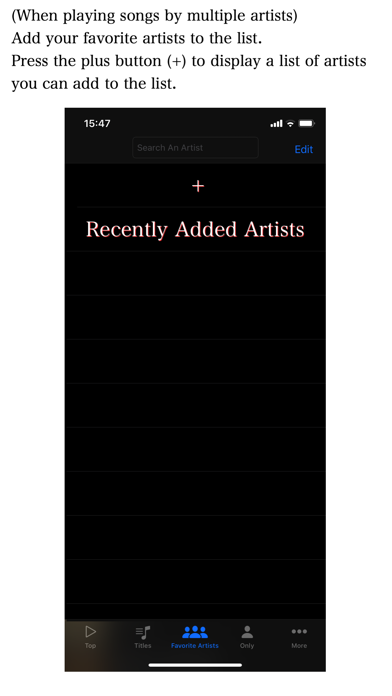
When you first start the app, you will be prompted to register as an artist. When the list of recently registered artists or all artists is displayed, please register multiple artists.
Press "Refresh Titles” on the Titles screen.
When the song selection list is complete, start playing on the top screen.
(Advantages of this app)
The advantages of using this app are as follows.
1. If you arrange them in the order of your favorite artists, you can select songs in the order of your favorite artists.
2. You can rearrange them randomly, considering the order of your favorite artists.
3. You can select multiple songs by repeatedly registering your favorite artists.
4. You can select only the albums and singles of a specific artist.
5. The 5-second performance function allows you to continuously play the first 5 seconds of the selected list.
(If the data cache is created by the performance function for 5 seconds, you can enjoy music even in flight mode.)
6. You can set the rating for the selected song.
7. You can select songs based on the rating.
8. The song selection list can be turned into a playlist.
9. This app does not collect any personal information. Unlike server-type music apps, you can use it with confidence.
(More detailed explanation)
About the 7-day chance function. If you repeat the selection of songs by your favorite artist every day, you will not have the opportunity to perform with a lower ranking artist.
Therefore, I created a performance opportunity for artists who have not had a performance opportunity for more than 7 days. Additional songs are registered in the order that is likely to be played under the specified conditions.
If you use the performance function for 5 seconds, you may be able to keep a cache of music data in the device. In that case, you can enjoy music even in poor flight mode and communication environment.
However, if lossless is selected for audio quality in the settings of Apple's standard music app Music, the amount of data may become large and the cache may not be maintained. If you want to enjoy music using the cache, do not select lossless. Please note that this app does not guarantee that music data will be cached on your device.
When a new artist is registered, there is a funct