Nail the Pitch - Vocal Monitor

Nail the Pitch - Vocal Monitor Summary
Nail the Pitch - Vocal Monitor is a free, with in-app purchases iOS app in Music And Audio by Autumn Rock Software Development. Released in Dec 2019 (6 years ago). It has 5.7K ratings with a 4.62★ (excellent) average. Based on AppGoblin estimates, it reaches roughly 15K monthly active users and generates around $<10K monthly revenue (100% IAP / 0% ads). Store last updated Sep 29, 2026
Recent activity: 15 new ratings this week View trends →
Nail the Pitch - Vocal Monitor SDKs Summary
Nail the Pitch - Vocal Monitor was last scanned for SDKs on 2026-10-04. No known SDKs were detected. Check the raw list of SDK parts detected here and feel free to request unknown SDKs be added to AppGoblin.
4.62★
Ratings: 5.7K
Screenshots



App Description
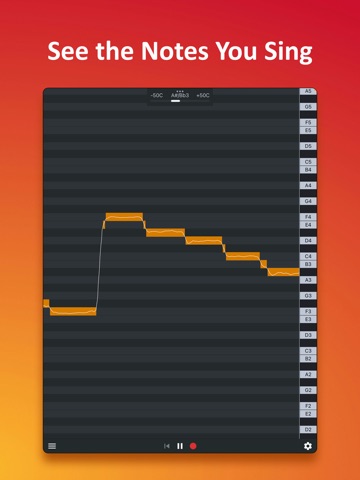
Nail the Pitch is a real-time vocal pitch monitor that helps singers see exactly which notes they are singing. Get clear visual feedback, take the guesswork out of practice, and build confidence in your voice.
With more than 3 million downloads, Nail the Pitch is used by singers, vocal coaches, and music educators around the world.
Use Nail the Pitch to:
• Practice singing in tune
• Visualize vocal melodies to help with transcription
• Explore and test your vocal range
KEY FEATURES
Pitch Visualization
See your vocal pitch displayed on a piano roll, note by note.
Instant Pitch Feedback
Our low-latency pitch detection engine provides fast visual feedback that keeps up with your voice as you sing.
See Every Detail
Zoom in to examine subtle pitch changes, including slides, vibrato, and fluctuations within individual notes.
Unlock More with Pro
Get additional tools for recording, reviewing, saving, and exporting your performances:
• Record and play back your vocal takes
• Scroll through the piano roll to review your entire take
• Save and load previous sessions
• Export vocal melodies as MIDI files