LG XBOOM ~’24 & selected*

LG XBOOM ~’24 & selected* Summary
LG XBOOM ~’24 & selected* is a mobile iOS app in Music And Audio by LG Electronics, Inc.. Released in Jan 2020 (6 years ago). It has 1.1K ratings with a 2.38★ (poor) average. Based on AppGoblin estimates, it reaches roughly 2.6K monthly active users . Store metadata: updated May 10, 2026, version 4996.
Recent activity: 1.00 new ratings this week View trends →
Data tracking: SDKs and third-party integrations were last analyzed on May 9, 2026.
Store info: Last updated on App Store on May 10, 2026 (version 4996).
LG XBOOM ~’24 & selected* was last scanned for SDKs 2026-05-09. Below is the overview of third party companies detected in the app. The full list of raw SDKs, app permissions and unknown SDKs is available here.
 Google
 nanopb
 Firebase
2.38★
Ratings: 1.1K
Screenshots
App Description
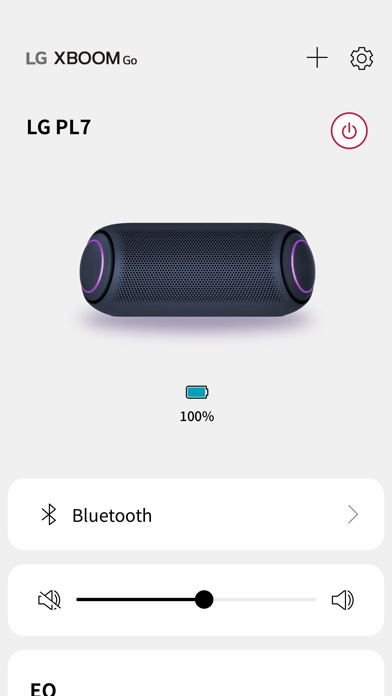
LG XBOOM supports ‘24 and earlier models and select newer models (MR9/MR7).
Please refer to the user manual for the correct app.
This application allows you to listen to music from your mobile device via Bluetooth.
LG XBOOM app. for iOS supports only models with MFi certified by Apple Inc.
MFi, referring to "Made for iPhone" and " Made for iPod", mean that an electronic accessory has been designed to connect specifically to iPhone or iPod, respectively, and has been certified by the developer to meet Apple performance standards.
[Main functions]
- Audio connection to Bluetooth device
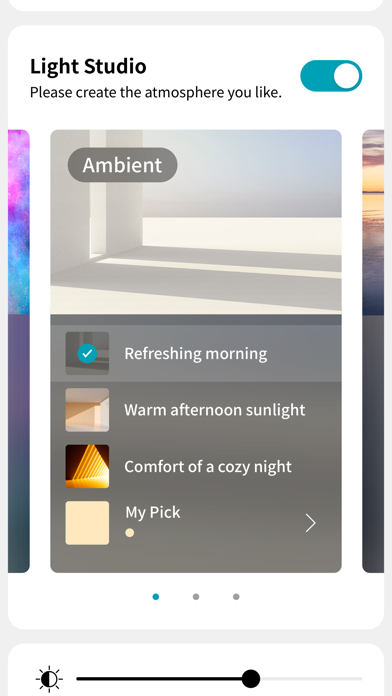
- Convert lighting effects
- Execute DJ Scratcher and DJ Effect (FLANGER / PHASER / WAH / DELAY / OFF) in DJ mode
- Set Equalizer (STANDARD / BASS BLAST / POP / CLASSIC / ROCK / JAZZ / FOOTBALL, etc.) with sound effects function
[Supporting Models]
- XBOOM 360 Speaker : RP4, XO3, XO2T
- UltraGear Gaming Speaker : GP9, GP3
- One Body Speaker(ON Series) : ON9, ON7, ON5
- Loud Speaker(RN Series) : RN9, RN7, RN5, XL9, XL7, XL5, RNC9, RNC7, RNC5
- Portable Speaker : PL7, PL5, PN7, PN5, NP7550, NP5550, XG7Q, XG5Q, XG9Q, XG8S, XT7S, XG2T
* Some models may have different support features or may not support apps.
[Optional Access Permissions]
- Location : Permissions required to download product instruction manuals
- Media and Apple Music: Permission required when viewing or playing local audio files
- Bluetooth: Permission required to find a speaker that works with the app
- Mic: Permission required when making recordings using a mic
- Notifications : Permissions required to receive notifications of software updates
* You can use the app even if you do not agree to the optional access permissions.