TimeTracker: Keep Sheets Safe!

TimeTracker: Keep Sheets Safe! Summary
TimeTracker: Keep Sheets Safe! is a ad-supported, with in-app purchases iOS app in Business by Beesoft Apps. Released in Dec 2019 (6 years ago). It has 39 ratings with a 4.13★ (good) average. Based on AppGoblin estimates, it reaches roughly 106 monthly active users and generates around $<10K monthly revenue (22% IAP / 78% ads). Store metadata: updated Dec 17, 2020.
Store info: Last updated on App Store on Dec 17, 2020 .
4.13★
Ratings: 39
Screenshots
App Description
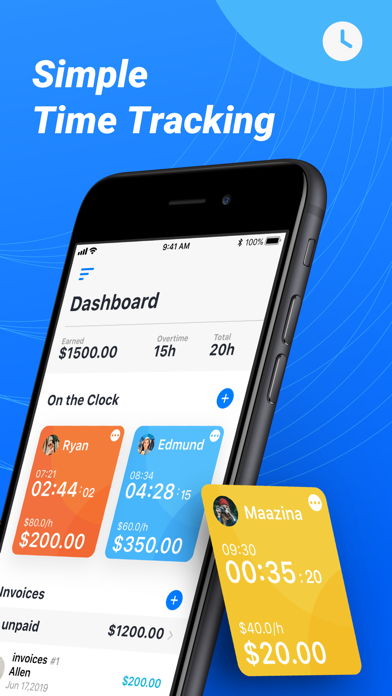
Time Tracker is the easiest and most convenient way to keep track of your work hours. Either use the Clock feature to “Clock In” and out, or add your hours manually to the Log. At any time, you can see a weekly overview of the hours worked and salary earned. With a visual timeline, smart reminders, reporting, and an easy to use interface crafted by Design team.
Designed and developed by polycents!
Time Tracker lets you:
As one of the leading time tracker apps on the App Store, Time Tracker offers many useful and unique features, including:
• Calculate total weekly work time
• See work and pay history of previous weeks
• Get an overview of daily work time
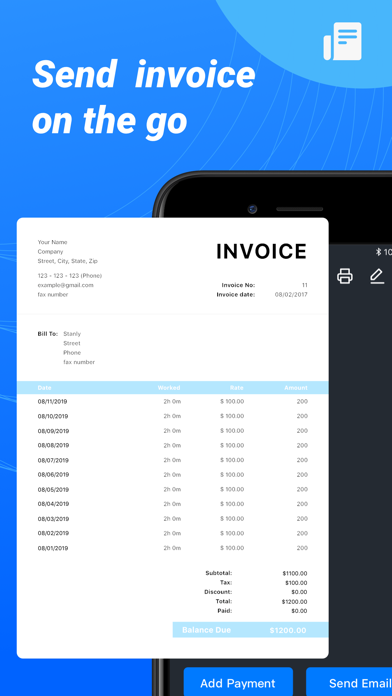
• Export time sheets as Excel or CSV files
• Easily create simple timers that track named tasks real time
• Pick any time to start and end the daily entry
• Start/stop/switch timers with one tap
• Edit the visual timeline to quickly identify and correct mistakes
• Set log reminders for start and end times
• Enter your hourly salary and calculate total pay
• Use your local currency
Please email us if you have any questions or suggestions to improve the app: [timetracker@support.polycents.com](mailto:timetracker@support.polycents.com)
----------------------—
# Subscription Details #
- Monthly and annual subscriptions are available.
- Payment will be charged to your iTunes account at confirmation of purchase.
- Your subscription will automatically renew unless auto-renew is disabled at least 24 hours before the end of the current subscription period.
- Automatic renewals will be charged at the same price you were originally charged for the subscription.
- Subscriptions can be managed by going to Account Settings on the App Store after purchase.
- Privacy Policy: [https://www.iubenda.com/privacy-policy/56364591](https://www.iubenda.com/privacy-policy/56364591)
- Terms of Service: [https://www.iubenda.com/terms-and-conditions/56364591](https://www.iubenda.com/terms-and-conditions/56364591)