Translator*

Translator* Summary
Translator* is a free, with in-app purchases iOS app in Productivity by Appios Bilisim. Released in Dec 2019 (6 years ago). It has 22K ratings with a 4.36★ (good) average. Based on AppGoblin estimates, it reaches roughly 59K monthly active users and generates around $<10K monthly revenue (100% IAP / 0% ads). Store last updated Mar 3, 2026
Recent activity: 7.00 new ratings this week View trends →
SDK intelligence: AppGoblin detected 3 development tools(e.g. Google), 2 ad networks, 1 analytics: product,and 1 business tools integrated into Translator*. View full SDK list →
Translator* SDKs Summary
Translator* was last scanned for SDKs on 2026-08-16. Below is the overview of third-party companies detected in the app. The full list of SDKs, permissions and unknowns is available here.
 Google
 One Signal
 nanopb
 Alamofire
 Firebase
 Superwall
4.36★
Ratings: 22K
Screenshots



App Description
Translator* – AI-Powered All-in-One Translator
Translator* is your complete translation solution, combining the power of artificial intelligence with intuitive tools for keyboard, image, and voice translation. Whether you're chatting, traveling, or learning a new language, Translator* makes communication effortless across more than 100 languages.
Key Features
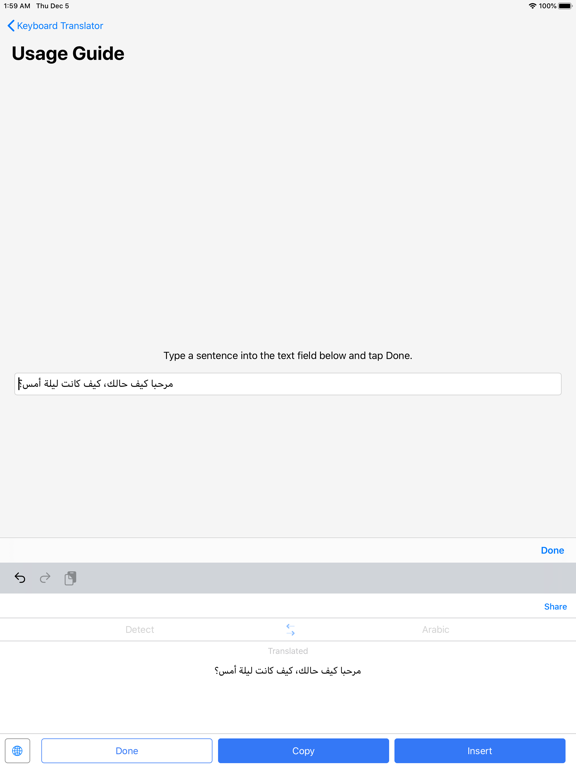
AI-Backed Keyboard Translator
Translate as you type, directly within any app. The AI-powered Translator* Keyboard lets you chat in real time without switching apps—seamlessly integrated and easy to use.
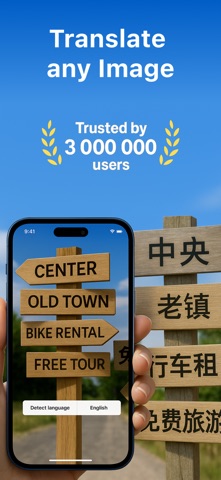
AI-Powered Image Translator
* Object Mode: Take or upload a photo, and Translator* will identify objects using AI and translate them into your selected language.
* Text Mode: Snap a picture of a document or any written content. The app uses AI to scan and accurately translate text from images.
Voice Translator with AI Precision
Speak naturally and get instant translations in both audio and text. Choose from male or female voices and various dialects for personalized output—all backed by advanced AI language models.
Additional Features
* Transliteration support for non-Latin scripts
* Save and manage your favorite translations
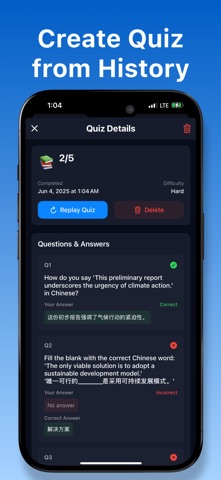
* Access full translation history
* Share translations easily across apps
* Translate in over 100 languages
* Regional dialect switching for localized accuracy
Translator* uses cutting-edge AI technology to deliver fast, accurate, and natural translations—anytime, anywhere.
Information About Subscription
You can cancel your subscription or free trial anytime by cancelling your subscription through your iTunes account settings, or it will automatically renew. This must be done 24 hours before the end of the free trial or any subscription period to avoid being charged. Subscription with a free trial period will automatically renew to a paid subscription. Please note: any unused portion of a free trial period (if offered) will be forfeited when you purchase a premium subscription during the free trial period.
Subscription payments will be charged to your iTunes account at confirmation of your purchase and upon commencement of each renewal term. For more information, please see our Privacy Policy and Terms of Use.
-Privacy Policy : https://appios.com.tr/privacy.html
-Terms of Use : https://appios.com.tr/terms.html