PixelSense for iPad

PixelSense for iPad Summary
PixelSense for iPad is a free, with in-app purchases iOS app in Photo And Video by 巧霞 詹. Released in Oct 2020 (5 years ago). It has 74 ratings with a 4.36★ (good) average. Based on AppGoblin estimates, it reaches roughly 38 monthly active users and generates around $<10K monthly revenue (100% IAP / 0% ads). Store last updated May 7, 2022
PixelSense for iPad SDKs Summary
App not yet scanned for SDKs.
4.36★
Ratings: 74
Screenshots
App Description
Pixelsense is a complete and professional photo editor. It's designed exclusively for iPadOS and provides a series of desktop-class photo editing features. It supports editing RAW camera files.
Desktop-class photo editing experience
• RAW Editing: Open and tweak RAW camera files, save non-destructively, or export as JPG.
• Curves Tools: RGB Curves, Lab Curves, CMYK Curves, Hue Curves(Hue Vs Hue, Hue Vs Sat, Hue Vs Lum, Lum Vs Sat, Sat Vs Sat).
• Bokeh Effects:Bringing DSLR-like photography to you with beautiful bokeh effects usually achievable only with a professional large aperture camera.
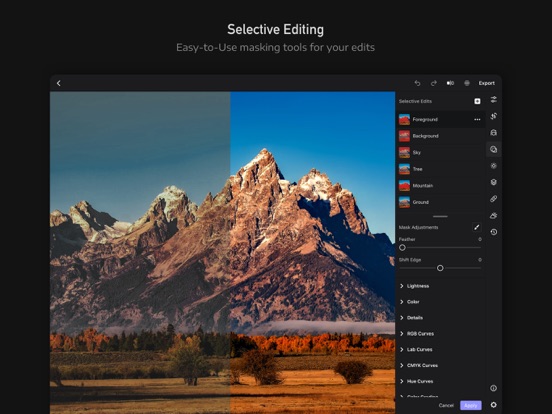
• Selective masks: Brush, Radial, Linear, Mirror, Color, Luminance.
• Adjustment Layer: Blending those extensive adjustment tools with Blend Modes, and apply to a special color channel or all color channels.
• Face Beautify: Skin-Smoothing, Skin-Whitening, Facial Reshaping, Facial Enhancement, and more.
• Photo Correction: Crop, Rotate, Flip, Straighten, Camera Correction(Stretch, Wide, Fisheye, Zoom), Horizontal Skew, Vertical Skew, Transformation Tools.
• Batch Processing: Apply edits to many photos at once.
• History Actions: Undo/Redo and re-editing your edits, Copy Edits, Paste Edits, Apply Last Edits, Revert to original.
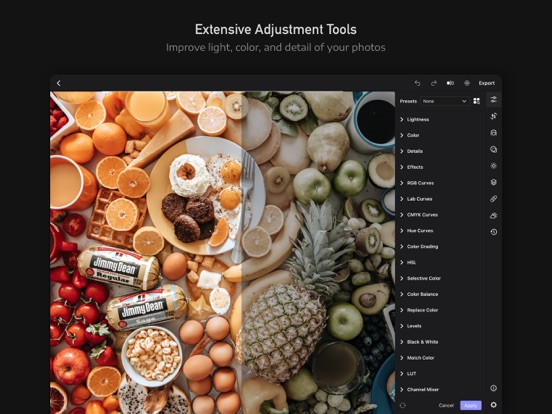
Extensive adjustment tools
• Light Adjustments: Exposure, Brightness, Contrast, Highlights, Shadows, Whites, Blacks.
• Color Adjustments: Temperature, Tint, Vibrance, Saturation, Hue, Skin Tone, Fade.
• Color Grading: Selective Color, Color Wheels, Split Toning, Color Balance, HSL Adjustment, Color Toning, Replace Color, Levels, Channel Mixer, Black & White & Monochrome, Match Color, Color Lookup(LUT).
• Details Enhancement: Clarity, Dehaze, HDR, Sharpen, Bloom, Denoise, Denoise Color.
• Effect Tools: Neon Effect, Grain, Vignette, Fringing.
Exclusive AI Tools
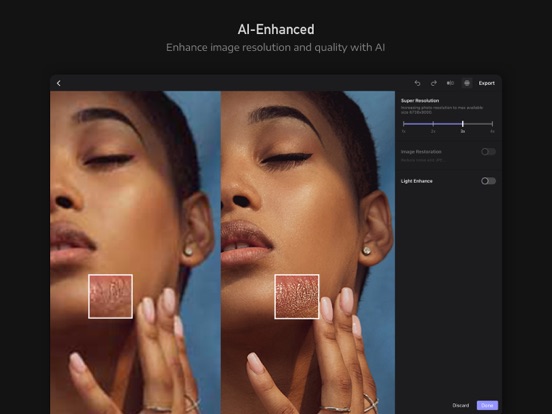
Super Resolution, Low light Enhancement, Photo Restoration, Repair Tools, and more.
Sky Replacement
Replace the sky in one click. Easy to make your new sky look lifelike and stunning. Choose from an ample built-in collection of skies or import your own.
UNLIMITED ACCESS SUBSCRIPTION
- You can subscribe for unlimited access to all features and content offered for purchase within Pixelsense.
- Subscriptions are billed monthly or annually at the rate selected depending on the subscription plan. Alternatively a one time payment plan is available (this is not a su