PhotoWith

PhotoWith Summary
PhotoWith is a free, with in-app purchases iOS app in Photo And Video by masaki individual. Released in Feb 2020 (6 years ago). Store last updated Aug 29, 2025
PhotoWith SDKs Summary
App not yet scanned for SDKs.
0★
Ratings: 0
Screenshots

App Description
Main functions:
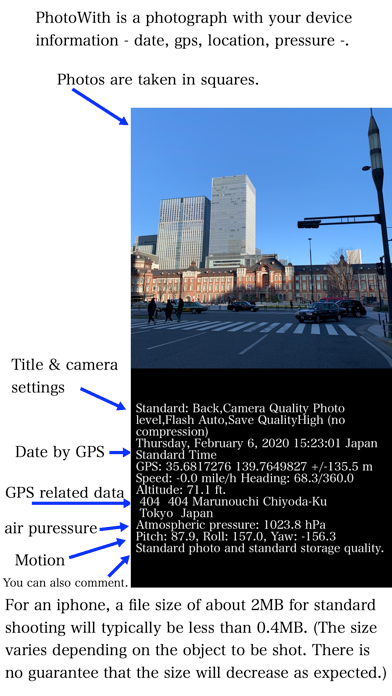
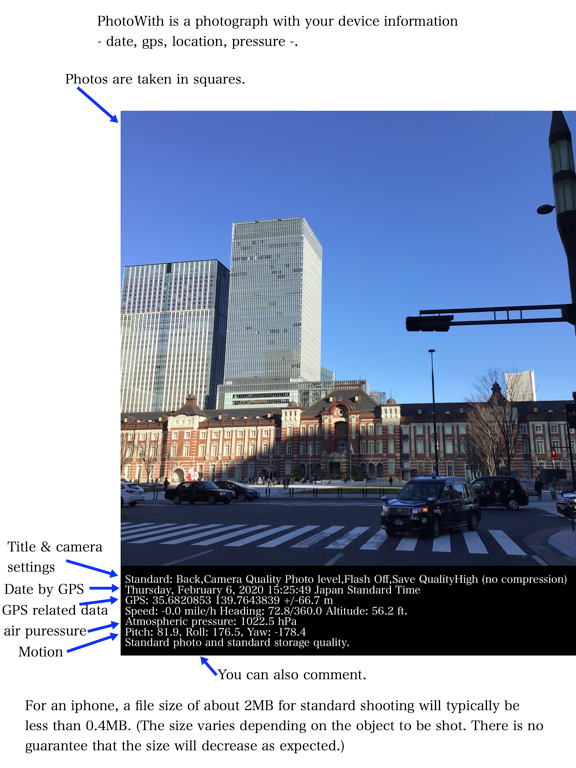
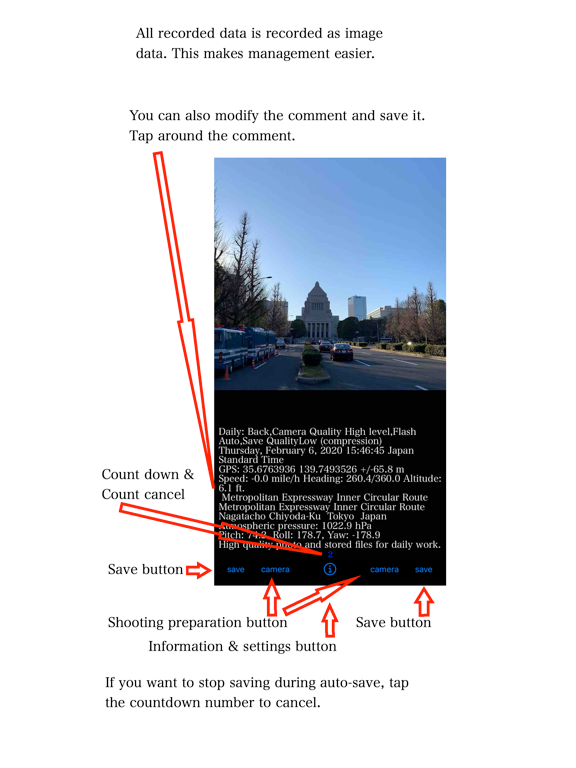
1. An app that can record date and time, GPS, shooting address, direction, altitude, pressure, and moment along with photos
2. By adjusting the image quality and size of the photo, the data size of the photo can be much smaller than usual.
(example by iPhone: 2Mbytes per standard photo => 0.4 Mbytes /per PhotoWith)
3. Date and time, GPS, location, altitude, barometric pressure, moment of shooting, etc. are recorded together with the image taken as image data, so you can visually check the necessary information just by looking at the photo.
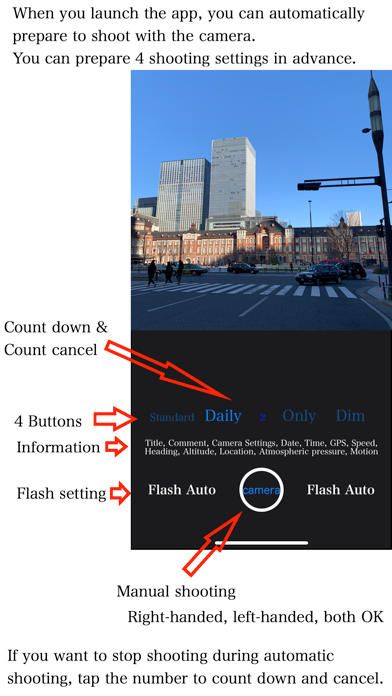
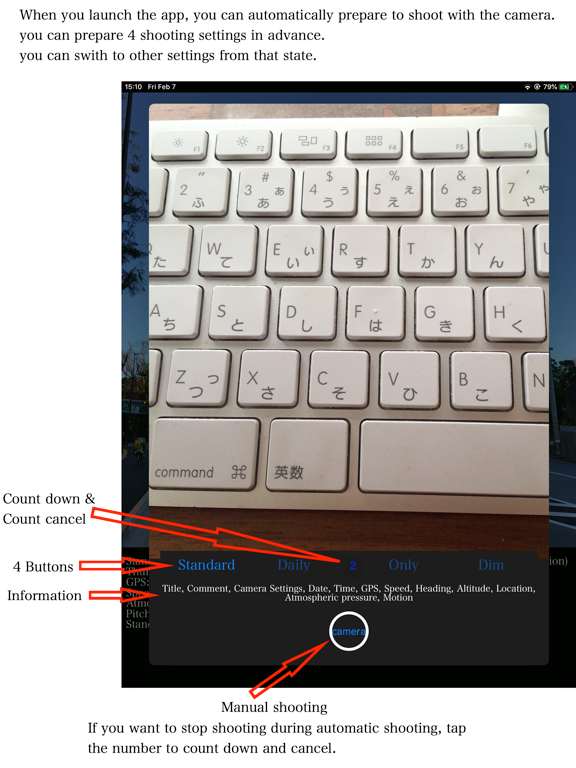
4. It is possible to perform shooting preparation at the same time as launching the application and shoot automatically.
5. There is a waiting time to decide whether to save the captured image and other information. It is possible to cancel the image without saving it. Of course, all can be manually operated.
When should I use this app?
1. When simply recording daily work that is routine work, for example, clearing the room, recording the mileage of the car, the shop that went out, the cat that was walking, etc.
2. In the event of an accident or disaster, to convey the status of the place via SNS or email in a short time.
3. You have taken a picture but want to reduce the data size as much as possible.
4. When you want to avoid getting too detailed information from the viewpoint of privacy, for example, when you want to take a picture with an image quality that does not allow you to know the number of the license plate of the car in the picture.
5. When you want to take a picture by preparing several shooting conditions and immediately changing the settings according to the situation.
Initial setup :
1. You need to agree to use your privacy details as -Taking photo(using camera), Saving photo in album(library)- in your device.
2. You need to agree to use your privacy details as -GPS, searching your location in your device.
Cautions:
- This app stores photo data in the device's standard photo library. Only setting information is stored in the app itself and the cloud environment.
- This app accesses the network environment to access the cloud environment and to grasp the location information.
- Check the saved photo data with the standard photo app for your device. Also, you cannot delete saved photo data directly from this app.
- If your device does not have the capability, you will not be able