Video tachometer

Video tachometer Summary
Video tachometer is a with in-app purchases iOS app in Tools by Dmitriy Kharutskiy. Released in Dec 2019 (6 years ago). It has 101 ratings with a 4.62★ (excellent) average. Based on AppGoblin estimates, it reaches roughly 385 monthly active users and generates around $<10K monthly revenue (100% IAP / 0% ads). Store metadata: updated Apr 15, 2026.
Store info: Last updated on App Store on Apr 15, 2026 .
4.62★
Ratings: 101
Screenshots
App Description
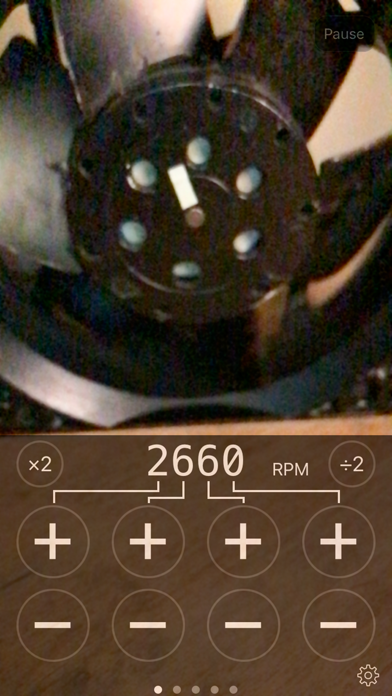
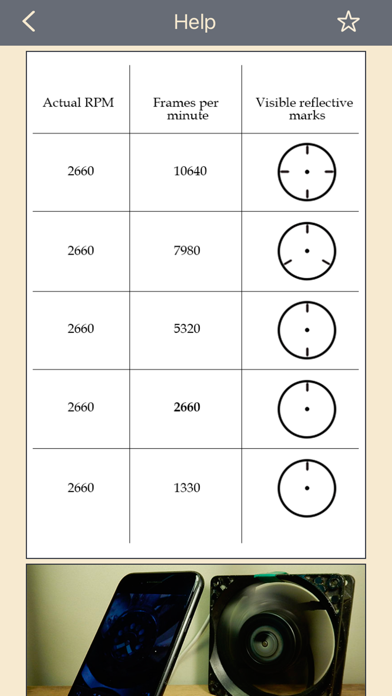
When the frame rate of a video matches the speed of a particular part, the effect is the same as using a strobe light. In the video, that part freezes.
Since the frame rate of a video can be adjusted, this effect can be used to determine the rotational speed of a part.
The smartphone must support slow-motion video recording (filming at a high frame rate). This is the case for all smartphones starting with iPhone 5S. The range is as follows:
• 0.5—240 Hz (30—14400 RPM), for all phones from iPhone 6 onward
• 0.5—120 Hz (30—7200 RPM), for iPhone 5S
THE HERTZ (Hz) VALUE IS MORE ACCURATE THAN THE REVOLUTIONS PER MINUTE (RPM) VALUE, SINCE REVOLUTIONS PER MINUTE ARE CALCULATED FROM HERTZ AND ROUNDING IS DONE.
To get a clear image, good lighting is important. The clarity of the image is controlled by the exposure of the video (exposure time and light sensitivity (ISO)). If the exposure time is reduced, the image will increase in clarity, but brightness will lower. To increase the brightness, you need to raise the camera's light sensitivity (ISO), but then the amount of noise increases. You also need to manually adjust the focus of the camera.
The app can record video. The video format depends on the selected format in the app settings. If your iPhone supports 4K video format (3840x2160), then you can record 4K video at the frame rate supported by your iPhone. Text with important information is added to the frames of the recorded video: the selected frame rate, exposure duration, ISO, time stamp, time difference between the current and previous frames (Tcurr. − Tprev.), the sequence number of the frame in the recorded video. If you want any other information to be added, then let me know.
You can choose to add only part of this information, and you can choose a different text color. You also have the option of not adding any information. You can change the information that is added and the color of the text while recording a video. At high frame rates, frames that do not have time to be processed may be discarded. This does not affect subsequent frames and can be controlled using the time difference between the current frame and the previous frame (Tcurr. − Tprev.). Dropping frames affects the video frame rate displayed in the "Photos" app. But the time interval between frames that were taken one after another and were not discarded will corre