Shop Maker Quiz for Fortnite

Shop Maker Quiz for Fortnite Summary
Shop Maker Quiz for Fortnite is a mobile iOS app in Entertainment by Ivan Sanchez Dominguez. Released in Jan 2020 (6 years ago). It has 51.3K ratings with a 4.42★ (good) average. Based on AppGoblin estimates, it reaches roughly 113.5K monthly active users . Store metadata: updated Jun 12, 2020.
Recent activity: 2.00 new ratings this week View trends →
Data tracking: SDKs and third-party integrations were last analyzed on Apr 5, 2025.
Store info: Last updated on App Store on Jun 12, 2020 .
4.42★
Ratings: 51.3K
Screenshots
App Description
Discover our unofficial store creator of the day.
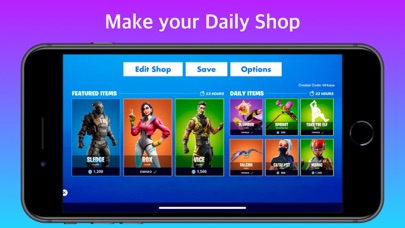
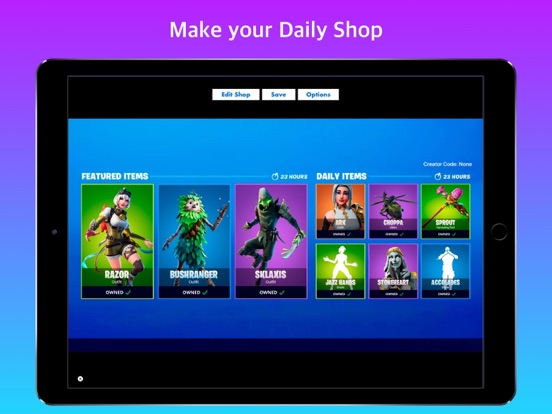
Customize your own shop by selecting from a multitude of items:
- Uncommon skins
- Rare skins
- Epic Skins
- Legendary Skins
- Gliders
- Pickaxes
- Emotes
You can add the price you want to each item or mark it with the option "Owned"
Add your own Creator Code to appear on your store screenshot.
Select the location of the store between English or Spanish.
Download your creations in Full HD with a resolution of 1920x1080 so you can share them with your friends on social networks or by messaging without losing quality.
The shop will be constantly updated with new elements from the new seasons.
This app is compatible with iPhone and iPad so you can design your store from any Apple device.
Tap the "Options" button if you want to change the language of the store or enter your Creator Code.
To customize the store, tap the "Edit Store" button
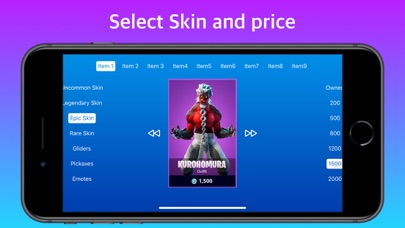
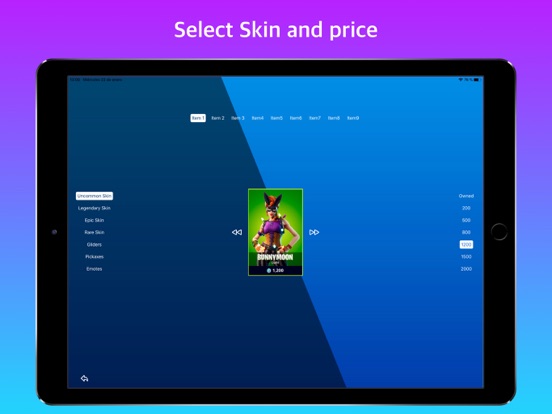
In the screen that will open you can choose the item you want to change in the top bar.
In the list on the left you can select the type of item (Skins, Gliders, Pickaxes and Emotes)
On the right you have the available prices and the option to mark the item "Owned"
In the central part you have a preview of the item you are editing and an arrow on each side to change the selected item.
When you have finished editing, tap the arrow at the bottom left to return to the store overview. You'll see a button in the centre of the "Reload Shop" screen that will update the shop with all the changes you've made.
Finally, you can tap the "Save" button to download the created shop to your gallery in Full HD format.
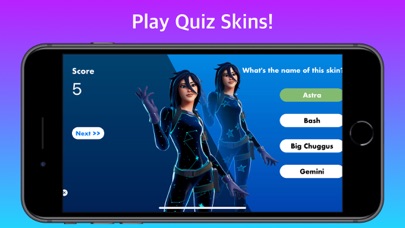
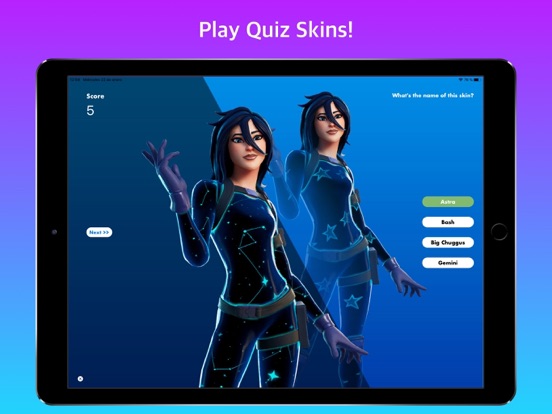
Play our Skins Quiz and show what you know about Fortnite.
Select the name of the skin from the 4 options we propose and accumulate points for each hit.
Disclaimer
This application complies with the Epic Games Fortnite fan policy, which can be found at the following URL: https://www.epicgames.com/site/en-US/fan-art-policy
Portions of the materials used are trademarks and/or copyrighted works of Epic Games, Inc. All rights reserved by Epic. This material is not official and is not endorsed by Epic.