Hand Tint Pro

Hand Tint Pro Summary
Hand Tint Pro is a mobile iOS app in Photo And Video by JixiPix Software. Released in Feb 2020 (6 years ago). It has 20 ratings with a 4.15★ (good) average. Based on AppGoblin estimates, it reaches roughly 10 monthly active users . Store metadata: updated Feb 22, 2024.
Store info: Last updated on App Store on Feb 22, 2024 .
4.15★
Ratings: 20
Screenshots
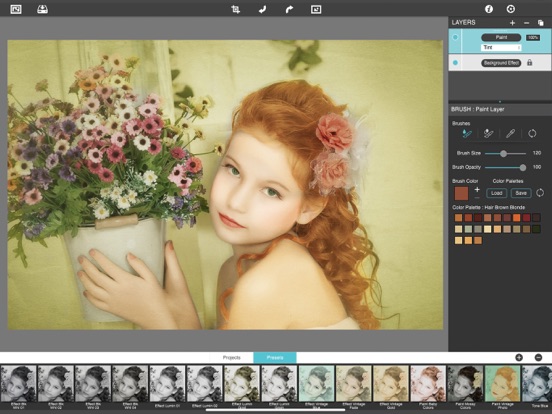

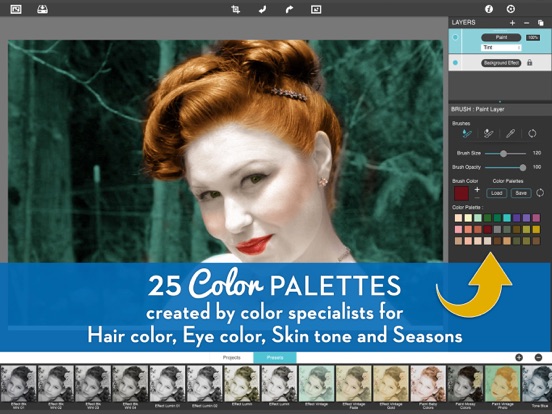
App Description
Colorize your photo with Tint, Tone and Color
Hand Tint Pro supplies everything you need—color palettes, paper and smart brushes—for creating beautiful and timeless hand painted photography.
Like all art forms, preparing a good base for hand coloring is like stretching a canvas for painting, so every imaged placed in the app is stripped of color and transformed into a classic Black & White, a dreamy Luminescent or an aged Vintage photo we call a Background Effect. To keep your painting organized and in control, we give you Layers and a handy Selective Color tool to define areas for accurate brushing. Both features are designed to keep color where you want them.
FEATURES
An easy workflow with a professional layering system has modes for tint, tone, color, multiply, soft paint or paint that can be changed per layer, and a powerful color selection tool to keep brushing inside isolated areas for fast colorization and accuracy. It is important to have fun while creating beautiful photo memories so a forgiving erase brush is there to wash away mistakes occurred during the painting process. If you need to stop, not a problem! Use the save project feature and return to finish when you are ready.
PHOTO EFFECTS (also known as background effects)
For the base of your hand tint we transform your photo into a classic Black & White, a dreamy Luminescent or an aged Vintage—the choice is yours!
Black and White—turns a photo into a classic black and white with options to adjust the RGB channels. A strength slider gradually blends the photo's original colors back in, if desired, for a variety of customized looks before the tinting process begins.
Luminescent—adds dreamy brightness combined with subtle texture—that you control, as you brush on color, tint or tone
Vintage—ages the photo with image toning and adds distressed paper for a beautiful and unique basis of your tinting project
INCLUDES
3 Photo Effects—Black & White, Luminescent & Vintage (also known as background effects, creates the base photo layer for hand tinting)
3 Layer Styles—Colorize Layer allows the original color to be brushed back in, Paint Layer allows customizable coloring using paintbrushes and color palettes, Auto Paint Layer allows original color to be removed, and a base layer called Background Effect to change photo effects styles on-the-fly without changing the hand col