MobileQMS

MobileQMS Summary
MobileQMS is a with in-app purchases iOS app in Business by Mew Sang Lim. Released in Feb 2020 (6 years ago). It has 1.00 ratings with a 5.00★ (excellent) average. Based on AppGoblin estimates, it reaches roughly 5.00 monthly active users and generates around $<10K monthly revenue (100% IAP / 0% ads). Store metadata: updated May 7, 2025.
Store info: Last updated on App Store on May 7, 2025 .
5★
Ratings: 1.00
Screenshots


App Description
You just need a router, Smart phone, Bluetooth Thermal Printer and a web browser.
No need Internet connection.
Smart Phone will be the server host for creating the queue number.
Queue Number can be printed by bluetooth thermal printer.
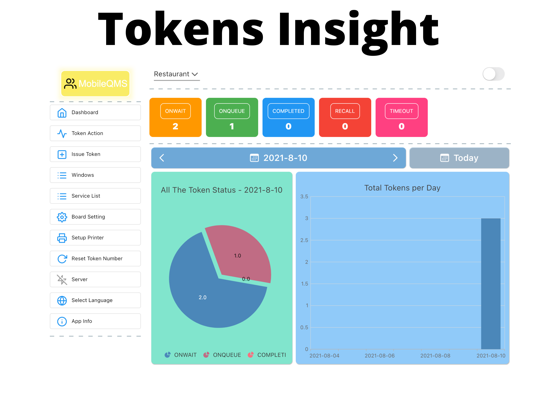
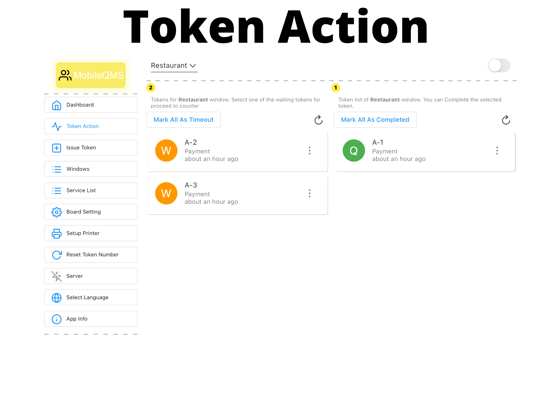
The Queue Number status is from WAIT to QUEUE and then COMPLETED.
You can RESET the Queue Number.
You should start the web server on mobile before show the running Queue Number on Web Browser.
This APP is good for simple queue system.
For example, single queue line.
Enjoy and have fun.
Do you know that MobileQMS app solution has resolved the old style Queue Management Solution?
=======
Scenario
=======
MobileQMS App (Offline) is designed for simple single queue line.
It can print the token number with bluetooth thermal printer and also show the
running token number on iPad within the same WIFI network. Once the token is created or printed, you can choice the desired token number for calling in case for flexibility. Meanwhile, you can recall the token number through the menu options. Recall is good for the people who is missing attendance of the queue.
MobileQMS App
- Only Support single mobile device
- Able to issue, call, recall and complete the tokens
- Without Internet (Offline)
- Connect to MobileQMS Board Pad App (Same WIFI network)
Dispensing Machine
- Must be a bluetooth thermal printer
- Able to print token number to visitor
- Portable
WIFI Router
- Connect to the mobile phone and the web browser or iPad
Web Browser
- Only support same WIFI network with the MobileQMS App
- Able to show the running token number
- Able to search the token number
BoardPad App with iPad
- Only support same WIFI network with the MobileQMS App
- Able to show the running token number
- Able to call the token number with vocal sound
===============
HOWTO STARTUP
===============
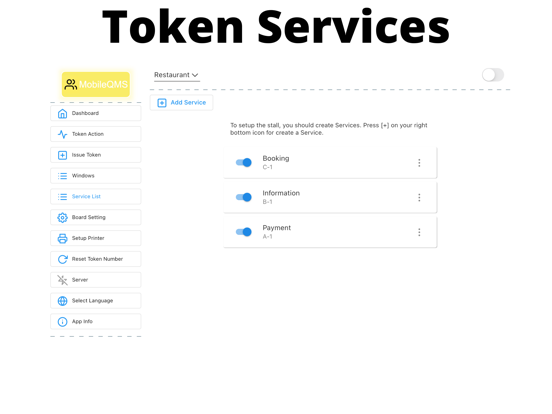
1. Create "Window" and "Service" on More Options menu
2. Issue Token on Main screen menu
3. Call Token on Main Screen menu
4. Mark the Token as COMPLETED on Main Screen menu
5. Connect to WIFI on your mobile phone (Optional)
6. Start Server on the More Screen menu (Optional)
7. Scan the QR code on other mobile phone to watch the running number on web browser (Optional)
8. Open BoardPad App from iPad (Optional)
9. Setup Bluetooth Printer (Optional)
=================
TROUBLESHOOTING
=================
Q: I cannot create Token Number after I have create