Highlights: PDF Reader & Notes
Highlights: PDF Reader & Notes Summary
Highlights: PDF Reader & Notes is a with in-app purchases iOS app in Productivity by Jonas Myren Ribe. Released in Apr 2020 (6 years ago). It has 2.4K ratings with a 4.53★ (excellent) average. Based on AppGoblin estimates, it reaches roughly 8.5K monthly active users and generates around $<10K monthly revenue (100% IAP / 0% ads). Store metadata: updated Jun 6, 2026.
Recent activity: 3.00 new ratings this week View trends →
Store info: Last updated on App Store on Jun 6, 2026 .
4.53★
Ratings: 2.4K
Screenshots
App Description
"... an app that students, academics, and anyone who does substantial amounts of PDF-based research should try" - Macstories.net
"It’s the novel approach to PDF annotation that makes this app a cut above the rest"- TapSmart.com
*** "App of the Day" - App Store, US ***
USE HIGHLIGHTS FOR FREE
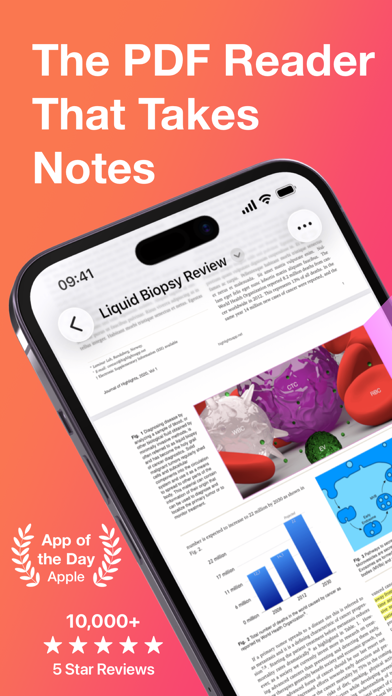
Highlights is a fast and lightweight PDF reader (under 10MB) packed with features to help you do your best research.
Free users have access to standard PDF reader features including document browsing, reading and annotating. There are NO ADS, time limits or tracking.
READ PDF DOCUMENTS
• Open PDF documents from anywhere
• Browse files using the familiar document browser
• Open PDFs in Single Page or Two Page scroll mode
• Double tap to Smart Zoom in on a paragraph or figure
• Scrub smoothly to the desired page
• Search the entire document in an instant
• Navigate using any connected keyboard or mouse
STORE YOUR FILES WHERE YOU WANT
• Full support for "Open In Place" lets you make edits to the file where it is
• Access your files from iCloud Drive, Dropbox, Google Drive, OneDrive or Box using the document browser
• Or keep them privately on device only
HIGHLIGHT AND ANNOTATE FASTER
• Select text with your finger, Apple Pencil or mouse pointer
• Highlight, underline, strikethrough text and make image selections
• Add comments to annotations or as individual sticky notes
• Annotate with fewer taps using context aware popovers
• Default annotation colors prevents you from having to repeatedly setting the color for the same type of annotation every time
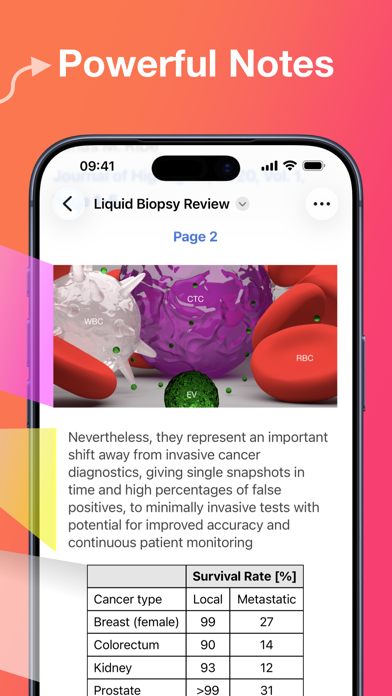
TURN ANNOTATIONS INTO NOTES
• As you markup text and images the contents are extracted and sorted into notes
• Customize the formatting and contents of your notes
• Sort the annotations chronologically or create your own color coding
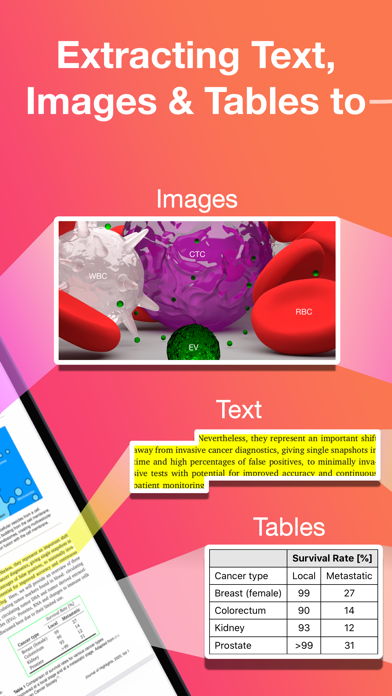
EXTRACT TABLE DATA AND RECOGNIZE TEXT
• Convert images containing text or tables to actual text and tables using machine learning - letting you get to the underlying data with a single tap
SMART COPY
Copy annotations to the desired format with one tap:
• Text markup as text
• Image selections as images
• Tables as CSV
• Citations as BibTex
LOOKUP CITATIONS
• Highlights will fetch DOI-links and metadata
• Markup any reference and tap the link icon to look it up
• If you have read the work already or have it in your reference manag