PPPassword - Account Assistant

PPPassword - Account Assistant Summary
PPPassword - Account Assistant is a with in-app purchases iOS app in Tools by 向广 赵. Released in Mar 2020 (6 years ago). It has 9.00 ratings with a 4.56★ (excellent) average. Based on AppGoblin estimates, it reaches roughly 36 monthly active users and generates around $<10K monthly revenue (100% IAP / 0% ads). Store metadata: updated Feb 25, 2024.
Store info: Last updated on App Store on Feb 25, 2024 .
4.56★
Ratings: 9.00
Screenshots


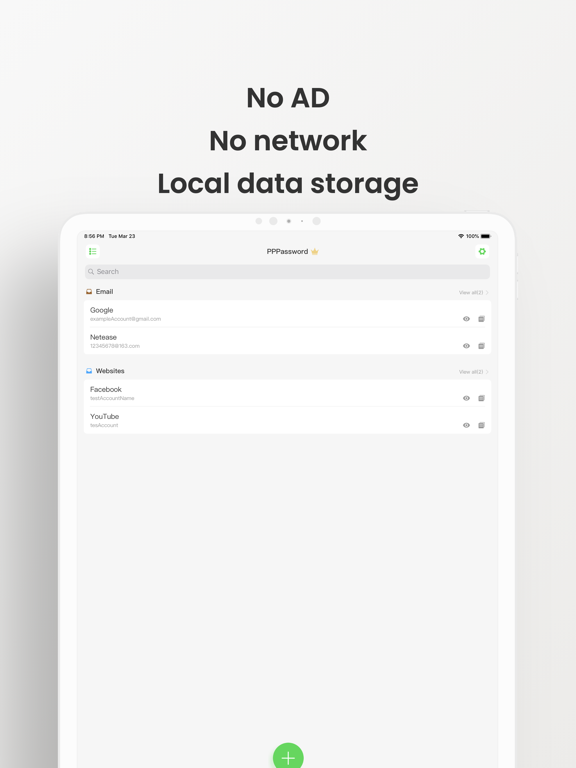
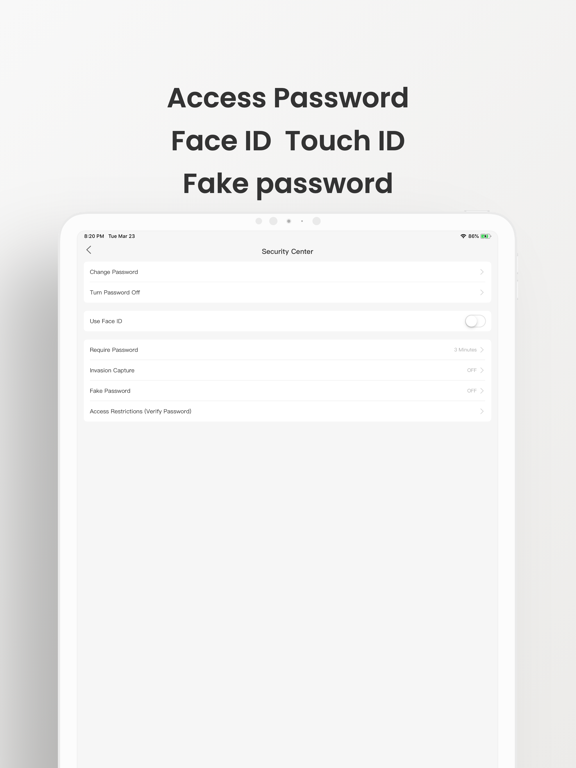

App Description
Simple and secure, all data is stored in the local user device. You can turn off the network permissions of the application without network permission or normal use without network. It supports automatic password filling, export password, backup to icloud, password migration, theme color switching, etc.
List of main functions:
-Custom access password
-Support security issues, faceid, touchid
-Background auto lock
-Classification management
-Custom classification color
-Quick search
-Photo attachment
-Multiple theme colors
-Recently deleted
-Random security password keyboard
-Invasion capture
-Disguise password
-Operation log
-Generate password
-Backup to icloud
-Export password
-Password migration
-Access restrictions
-Password auto fill
-Widget quick start
common problem:
1. how to set the primary access password?
More - Security Center - set password
2. how to set the background lock time?
More - Security Center - enter background auto lock, modify duration
3. how to open the intrusion capture?
More - Security Center - Open intrusion capture
4. how to set up camouflage password?
More - Security Center - camouflage password, turn on and set camouflage password.
5. how to change the theme color?
More - theme color - switch your favorite theme color
6. how to customize the classification color?
Edit classification - modify color - select custom
7. how to transfer password after changing mobile phone?
More - password migration, export password data on old phones, copy data files to new devices, and then import passwords in new devices.
8. how to turn on password auto fill?
Device system settings - password - auto fill password, open the automatic fill password, and check pppassword
9. how to set the main password when viewing password?
More - Security Center - access restrictions, open access restrictions for viewing passwords.
If you need feedback when users find bug or suggestions for replacement, please send email to im@zhaoxiangguang.cn , and describe the problems or suggestions encountered as detailed as possible.
You can also comment on the Appstore, thank you.