Cinema P3 Pro Camera
Cinema P3 Pro Camera Summary
Cinema P3 Pro Camera is a with in-app purchases iOS app in Photo And Video by Thomas Blackburn. Released in Aug 2020 (5 years ago). It has 488 ratings with a 4.74★ (excellent) average. Based on AppGoblin estimates, it reaches roughly 309 monthly active users and generates around $<10K monthly revenue (100% IAP / 0% ads). Store metadata: updated May 20, 2026.
Store info: Last updated on App Store on May 20, 2026 .
4.74★
Ratings: 488
Screenshots



App Description
Cinema P3 Pro Camera unlocks the full capability of your device’s cameras.
— Intuitive easy to use controls make taking photos and video a pleasure.
— Advanced professional tools allow you to capture the highest quality image every time.
FULL CONTROL
— Automatic and Manual controls
White balance, temperature and tint, exposure, ISO, shutter speed, shutter angle and focus
— ISO Priority and Shutter Priority with Spot, Matrix and Center Weight Metering
— Manual and Automatic White Balance (AWBc) with Temperature and Tint controls
Automatic White Balance calibration using a grey card
— Manual Zoom control with adjustable zoom speed for smooth transitions
Zoom with a two finger pinch gesture
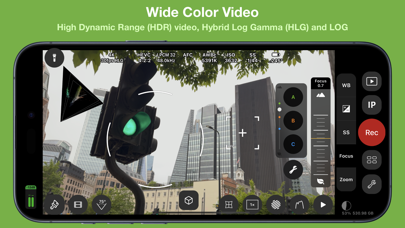
— High Dynamic Range (HDR) Video Capture
— Capture 10-bit video with Apple Log*.
— Capture 10-bit BT.2020 color (Dolby Vision)*.
— Capture HDR video with Hybrid Log Gamma (HLG).
— Capture HDR video with C-Log and D-Log.
— Capture and playback video with P3 wide color.
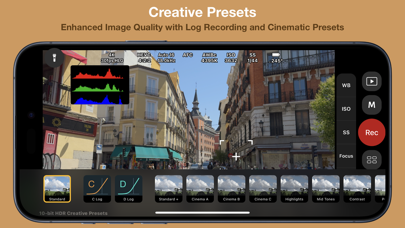
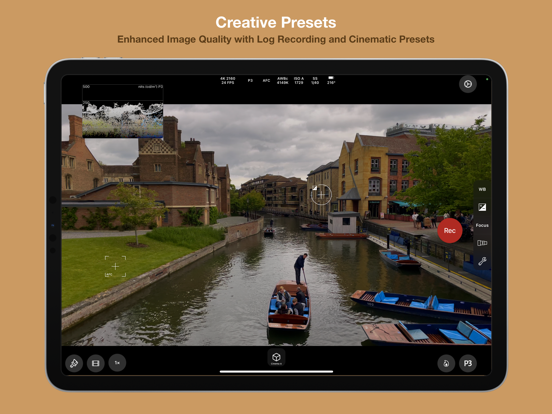
— Presets to store custom camera settings such as Exposure Mode, White Balance, Video Format and Anamorphic Lens Distortion,
Restore a preset with a single tap.
ADVANCED TOOLS
● Multiple video recording formats:
— 10-bit Apple Log*
— 10-bit HLG (Dolby Vision)*
— 10-bit 709*
— 8-bit P3 HLG
— 8-bit P3
— 8-bit 709
● Full control over video format settings:
— Use all Frame Rate, Resolution and Color Spaces supported by your device.
— H.265 HEVC, H.264, H.265 4:2:2, ProRes*
— Bit Rate, Pixel Aspect Ratio and Key Frame Interval
— Time Code Track
— 4K Wide Recording Mode
● Powerful full screen and mini scopes, with advanced image processing tools provide real time image analysis.
— Luma/Luminance Scope
— RGB Parade
— RGB Overlay
— Histogram.
— XY Colorspace
— VectorScope
— Luma Histogram
— (False) Color Analysis
● Tools
— Anamorphic Desqueeze with Distortion Correction
— Aspect Ratio Guides and Grids assist scene composition.
— P3 Button highlights parts of an image that use P3 color.
— Anamorphic De-squeeze for 1.3x, 1.55x and custom lenses.
— Preserve Camera Settings when changing camera modes
— Lock White Balance on Record
— Camera Quick Select
— Torch
— Tilt Sensor
— Rotat