Datamine Discover Mobile

Datamine Discover Mobile Summary
Datamine Discover Mobile is a mobile iOS app in Productivity by Datamine Software. Released in Mar 2020 (6 years ago). It has 7.00 ratings with a 5.00★ (excellent) average. Based on AppGoblin estimates, it reaches roughly 21 monthly active users . Store metadata: updated Apr 30, 2026.
Store info: Last updated on App Store on Apr 30, 2026 .
5★
Ratings: 7.00
Screenshots


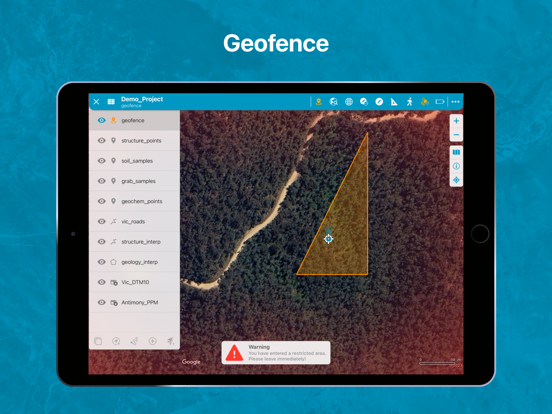

App Description
Discover Mobile is a touch-friendly mobile mapping and data collection app with an intuitive and user-friendly interface.
Stop using your bulky field computer, notebooks, compass and camera; and start using your iPhone or iPad to capture field data!
Discover Mobile is a touch-friendly mobile mapping and data collection app with an intuitive user-friendly interface.
Enabling efficient field data capture and seamless integration with the Datamine Discover Desktop software.
Discover Mobile is designed for any professional wishing to navigate and collect data on an iOS-based mobile device.
Hardware Requirements
- Discover Mobile has been optimised for any iOS mobile device with an inbuilt GPS receiver
- Digital Compass, Three Axis Gyro and Accelerometer for the Structural Compass
- Discover will work on most mobile devices installed with iOS version greater than iOS 15
So what features does Discover Mobile offer?
- Seamless integration with Datamine Discover desktop software, display all your Vector, Image and Grid datasets on your mobile device
- Navigate and Capture data online/offline
- Touch-enabled user-friendly interface with standard gesture controls
- Display your current GPS location, Map Center and GPS accuracy
- Zoom to your current location or to a selected map layer
- Google Maps integration with offline map caching
- Support for Point, Polyline, Polygon and Image features
- Create new Point, Polyline and Polygon features from your current GPS location, a user-defined location or with finger gestures or a stylus
- Modify your Point, Polyline and Polygon objects with alternative styles
- Modify Point, Polyline and Polygon features by either moving, adding or deleting objects or nodes
- Apply Thematic styles to Point, Polyline and Polygon features
- Edit and copy Point, Polyline and Polygon feature geometries
- View attribute information for all your Vector data
- Edit existing vector attribute information
- Validated data entry with dropdown lists, automatic value entry and value capping
- Capture and associate photos with a vector feature
- Measure distances with an on-screen Ruler tool
- Navigate to a location with the Waypoint navigation tool
- Measure structural planes and lineations with a clinometer and compass using the inbuilt device sensors
- Display points as structure symbols
- Automatically adjust your magnetic declination to true nor