PetNote - Pet Health Care

PetNote - Pet Health Care Summary
PetNote - Pet Health Care is a free, ad-supported iOS app in Medical by YUUSUKE SASOU. Released in Aug 2020 (6 years ago). It has 7.00 ratings with a 5.00★ (excellent) average. Based on AppGoblin estimates, it reaches roughly 23 monthly active users and generates around $<10K monthly revenue (0% IAP / 100% ads). Store last updated May 7, 2021
PetNote - Pet Health Care SDKs Summary
App not yet scanned for SDKs.
5★
Ratings: 7.00
Screenshots


App Description
*** Notice ***
We have released a new "PetNote+" app.
We are deploying apps on multiple OSs.
As of the end of September 2021, this "PetNote" app will be discontinued and support for functions such as data synchronization and sharing will end.
Future function additions and improvements will be made to "Pet Note +".
If you are an existing user, please migrate as soon as possible.
We apologize for the inconvenience, and thank you for your understanding.
New users are recommended to use "Pet Note +".
******
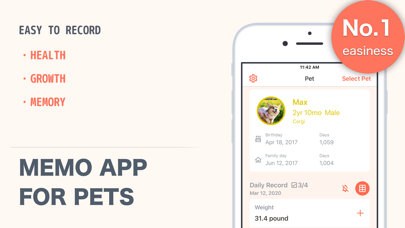
PetNote is the best app that enables you to manage your pets' conditions, notes and expences.
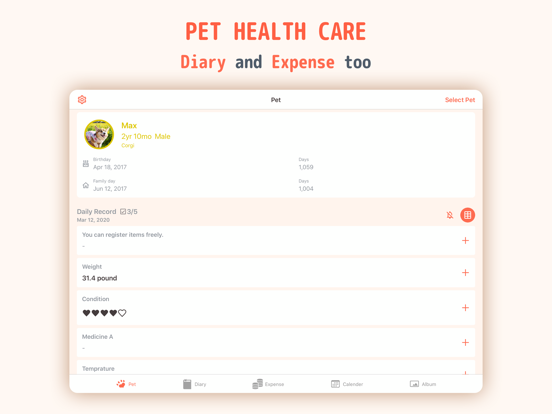
This amasing app offers the functions of recording your pets' conditions, writing diaries to keep your memories with them and managing the expences on them easily.
Moreover, you can register multiple pets if you have more than 1 pet.
◆◆◆ Features
◆ Recording pets' conditions
- You can freely customize the items of recording.
- If you want to record the item every day, it might be better to make it "every day records"."Every day records" is displayed on home screen and helps you not to forget to enter.
- This app has the function of notification when you forget to enter in the item, so it may also help you.
- You can choose the type of entering in items from integer, decimal, text, check and five-grade evaluation.
- You can choose the type of the recording date "date and time" or "date".
◆ The list of every day records
- You can see what you want to check easily from the list by date order.
◆ The list of records/ the graphs
- You can check the records resistered to the item on the list. If the type of entering is figures, it shows the line graph.
◆ Notes
- You can write the irregular information of each pets.
◆ Diaries
- It is a simple daily diary.
- You can also attach some photos to it.
- It's obvious that it's which pet's diary if you tie the related pet with it.
◆ The records of expenses
- You can input figures quickly because it includes simple calculator.
- You can also add notes and photos.
- It enables you to clear the purpose of expenses by choosing the related pet or the categories of the expenses.
- It depends on you how to categorize the expenses.
◆ Total expenses
- You can check the total expenses by all, categories or pets.
- It shows the ratio of the expenses by categories or pets on the pie graph.
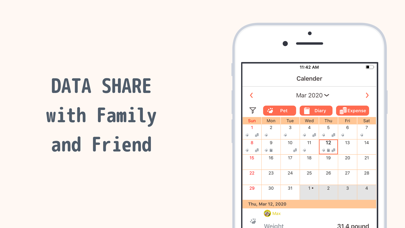
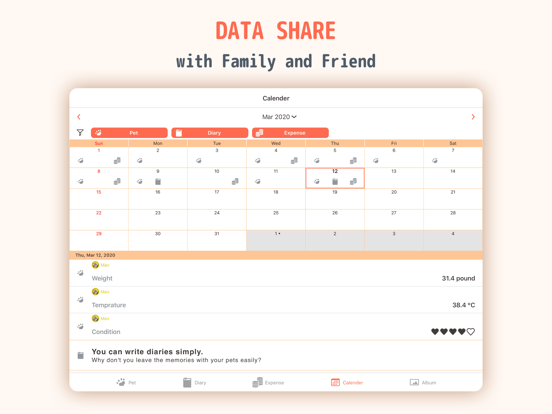
◆ Calender disp