LUMINS - Light Photo Editor

LUMINS - Light Photo Editor Summary
LUMINS - Light Photo Editor is a free, with in-app purchases iOS app in Photo And Video by AI Photo Editor Lab SRL. Released in May 2020 (6 years ago). It has 13K ratings with a 4.42★ (good) average. Based on AppGoblin estimates, it reaches roughly 6.8K monthly active users and generates around $<10K monthly revenue (100% IAP / 0% ads). Store last updated Nov 28, 2025
Recent activity: 2.00 new ratings this week View trends →
SDK intelligence: AppGoblin detected 3 development tools(e.g. Google), 1 ad networks, 1 analytics: product,and 1 business tools integrated into LUMINS - Light Photo Editor. View full SDK list →
LUMINS - Light Photo Editor SDKs Summary
LUMINS - Light Photo Editor was last scanned for SDKs on 2026-10-12. Below is the overview of third-party companies detected in the app. The full list of SDKs, permissions and unknowns is available here.
 Google
 Unity
Unity nanopb
 Firebase
 Superwall
4.42★
Ratings: 13K
Screenshots




App Description
Create expressive, natural and cinematic light with LUMINS.
LUMINS takes its name from the Latin word “Lumen, Luminis”, which means “light”.
This origin reflects the purpose of the app: giving you precise control over how light shapes mood, depth and atmosphere in your photos.
Every tool is designed to let you control how light behaves inside your photo, from subtle glow to dramatic rays, from natural shadows to atmospheric color.
LUMINS gives you the ability to enhance illumination, refine depth and create mood with precision and clarity.
Key Features:
- Light and Glow: whether you are editing portraits, landscapes or creative imagery, LUMINS gives you full control over how light interacts with your scene
- Volumetric and Tyndall Effects: create realistic directional light passing through windows, trees or objects. Produce depth and atmosphere commonly seen in high quality photography
- Starburst and Lens Effects: add bloom, star highlights, reflections and artistic lens characteristics that enrich the texture and mood of your photos
- Shadow and Depth Tools: shape shadows to build dimension and contrast. Control intensity, softness and direction to create dimension and natural contrast
- Sky Replacement: replace skies and harmonize tones and lighting to achieve a unified, realistic atmosphere
- Color and Mood Controls: refine tones, adjust warmth or coolness, add gradients and design color palettes that transform the atmosphere of your photos
- Filters Optimized for Light: use curated filters optimized to support glow, tonal depth and atmosphere. These are designed for realistic light, not generic looks
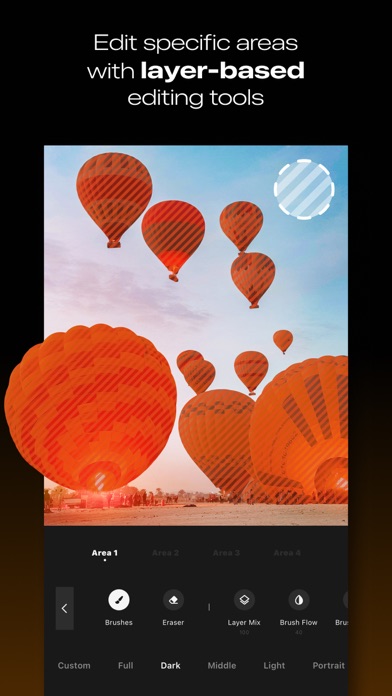
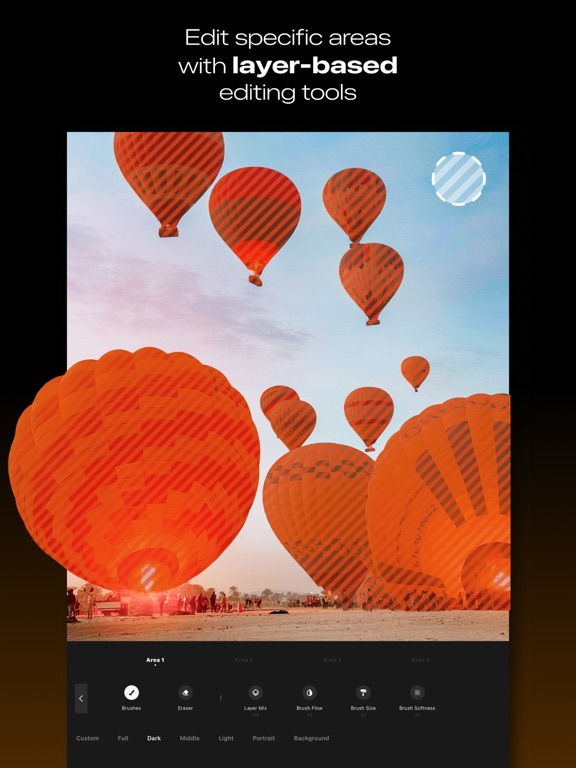
- Precision Brushes and Masks: apply localized adjustments exactly where needed. Edit light, shadows and color with fine control
How It Works
1. Import your photo and choose the light or mood you want to create
2. Adjust glow, shadows, atmosphere and color with intuitive sliders
3. Add volumetric rays, star highlights or depth-enhancing tones
4. Export your enhanced photo and share it
Express the full meaning of “Lumen” in every shot.
Download LUMINS today.
Subscribe to access to premium app features; subscription details are the following:
- Length: weekly, yearly
- Your payment will be charged to your iTunes Account as soon as you confirm your purchase
- You can manage your subscriptions and turn off auto-renewal from your Account S