Passwarden - Password Manager

Passwarden - Password Manager Summary
Passwarden - Password Manager is a free, with in-app purchases iOS app in Productivity by KeepSolid Inc.. Released in Sep 2020 (6 years ago). It has 292 ratings with a 4.38★ (good) average. Based on AppGoblin estimates, it reaches roughly 896 monthly active users and generates around $<10K monthly revenue (100% IAP / 0% ads). Store last updated Jan 27, 2023
Recent activity: 1.00 new ratings this week View trends →
SDK intelligence: AppGoblin detected 6 development tools(e.g. Google), 2 ad networks, 1 analytics: product,and 1 business tools integrated into Passwarden - Password Manager. View full SDK list →
Passwarden - Password Manager SDKs Summary
Passwarden - Password Manager was last scanned for SDKs on 2026-10-20. Below is the overview of third-party companies detected in the app. The full list of SDKs, permissions and unknowns is available here.
 Google
 Airbnb Engineering
 nanopb
 Alamofire
 Facebook
 Snap
Snap Firebase
 Zendesk
4.38★
Ratings: 292
Screenshots
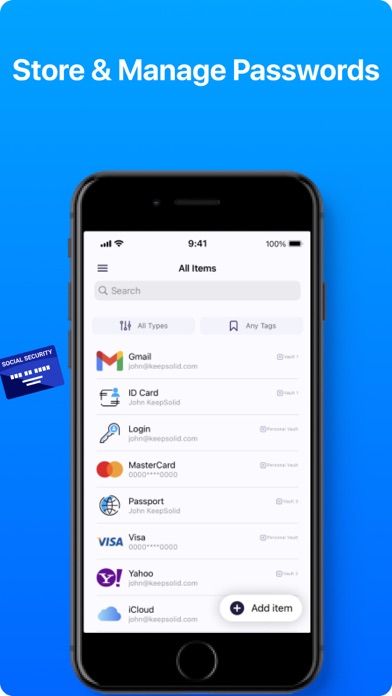

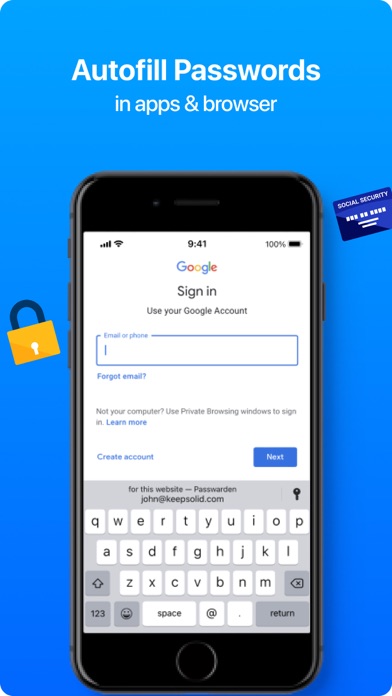


App Description
Wish to log in everywhere fast and easily? Passwarden is for you.
It securely generates, stores, auto-fills, and checks your passwords’ health.
► Manage your accounts with Passwarden.
It is developed by KeepSolid - a well-trusted security expert with 9-year experience and products, used by 35+ million customers worldwide.
► Passwarden is for those who wish to simplify the login process for any service in use, manage passwords easily, and store them safely.
► It benefits you that the only password you have to remember is that from your Passwarden account.
◆◆◆◆◆
The key features of Passwarden:
► Face ID and Fingerprint login
Benefit from an even more secure login method. Use biometrics to access your data and ensure any third party can access it.
► 2FA (two-factor authentication)
Passwarden provides you with an extra layer of security with TFA (authenticator app and email one-time passcode). No one except you will access your items.
► Autofill
If necessary credentials are already stored in Passwarden, it automatically fills them out for you, making the sign-in process a breeze!
► Password generator
Have no hassle creating a strong and unique password for each new account. Passwarden will do this for you in a matter of seconds.
► Duress Mode
Protect your most important passwords and data even if forced to provide access to your account under duress.
► Offline mode
Store all your passwords, passport details, and credit cards in Passwarden and access them even if there is no internet connection.
► Data migration
Have been using another password manager and now want to switch to the Passwarden by KeepSolid? Easy! Migrate your data in a few taps.
► It can generate unique uncrackable passwords
Passwarden generates unique impossible-to-crack passwords for all your accounts and remembers them for you.
► It protects you with bullet-proof encryption algorithms
KeepSolid takes the security of your data very seriously. That’s why Passwarden uses client-side encryption (AES-256 and ЕС р-384 algorithms) both for storing and syncing your data.
► Password Strength Meter.
Stay aware of all events happening to your accounts and credentials.
► Password Reuse Check.
Check if your passwords are reused on multiple accounts.
► Compromised accounts and data breaches report.
Learn about all the security breaches and leaka