Screen Mirroring ⋆ Miracast TV

Screen Mirroring ⋆ Miracast TV Summary
Screen Mirroring ⋆ Miracast TV is a free, ad-supported, with in-app purchases iOS app in Tools by Plane Cubes. Released in Oct 2020 (6 years ago). It has 24K ratings with a 4.52★ (excellent) average. Based on AppGoblin estimates, it reaches roughly 81K monthly active users and generates around $<10K monthly revenue (25% IAP / 75% ads). Store last updated Sep 8, 2026
Recent activity: 4.00 new ratings this week View trends →
SDK intelligence: AppGoblin detected 2 ad networks(e.g. Google), 2 development tools, 1 analytics: product,and 1 business tools integrated into Screen Mirroring ⋆ Miracast TV. View full SDK list →
Screen Mirroring ⋆ Miracast TV SDKs Summary
Screen Mirroring ⋆ Miracast TV was last scanned for SDKs on 2026-09-27. Below is the overview of third-party companies detected in the app. The full list of SDKs, permissions and unknowns is available here.
 Google
 AdMob
AdMob nanopb
 Firebase
 RevenueCat
4.52★
Ratings: 24K
Screenshots
App Description
‣‣‣ Mirror your screen to your TV!
‣‣‣ Free and easy to use!
" With Screen mirroring HD, it it now easy to mirror your iPhone or iPad!"
"I love the fact that you can mirror simultaneously on different devices.
"It is very useful to have both Portrait & Landscape modes available"
FEATURES:
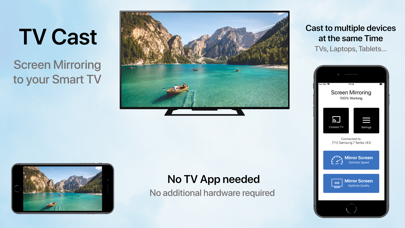
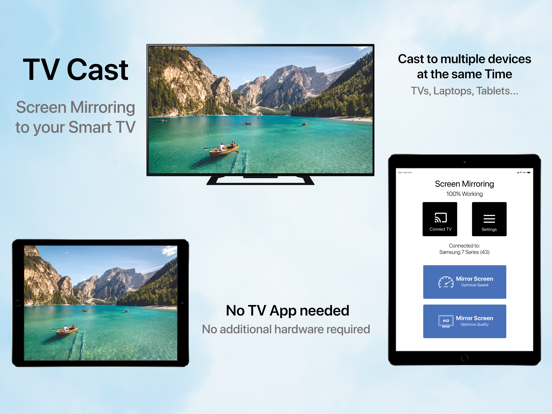
- Mirror your screen to your TVs, Laptop's, Phones, Gaming consoles & Tablets
- Two modes available: 'Speed Mode' for low latency and liquid speed & 'Quality Mode' for gorgeous full resolution HD broadcast
- Mirror in Landscape or Portrait mode
- Mirror to multiple devices simultaneously
- No TV App or other software or hardware necessary
HOW TO MIRROR:
- Connect your iPhone/iPad and your TV to the same WiFi network
- (Optional: connect your device to the app)
- Choose your mirroring mode and tap on 'Start Mirroring' to start mirroring to your TV and other devices
- Open your TV browser and tap the URL. (Tip: save the URL in your bookmarks for quicker access next time you want to mirror your screen.)
- Watch your screen mirroring
- To stop mirroring, tap 'Stop Mirroring' button or bar
- NB: On other devices than TV, just type the URL in your device browser to watch the screen mirroring
Download now and leave a review to let us know about your mirroring experience.
SUPPORT:
- Compatible TVs: Smart TVs with an integrated modern web browser: Samsung TV, LG TV, Sony TV, Panasonic TV,TV, Philips TV, Hitachi TV, TCL TV, Grundig TV...
- Compatible Devices: any device (phone, laptop, tablet, Console) with a modern web browser: Safari, Brave, Chrome, Firefox, Edge...
- Latency is supreme (0 seconds) when you have fast WiFi network conditions
- Please do not use VPN, Proxy, VLANS and Subnets.
- Sound is not yet support yet, we are working on it. In the meantime, please use Bluetooth speakers as a workaround.
- Black screen issues: Some third party apps prevent screen mirroring. When you try to mirror them, you will just see a black screen on your TV, for example with Netflix... This is a restriction chosen by Netflix and others, so there is currently nothing we can do about it.
- Our application has been tested carefully on many TV models, however we can unfortunately not guarantee the products works on ALL TV models. Reach out to us with your TV Brand and Model if you encounter issues.
DISCLAIMER:This is not an official application. We are not affiliated with an