Delinea Secret Server Mobile

Delinea Secret Server Mobile Summary
Delinea Secret Server Mobile is a mobile iOS app in Productivity by Delinea Inc. Released in Sep 2020 (5 years ago). It has 20 ratings with a 2.75★ (poor) average. Based on AppGoblin estimates, it reaches roughly 63 monthly active users . Store metadata: updated Jul 25, 2024.
Store info: Last updated on App Store on Jul 25, 2024 .
2.75★
Ratings: 20
Screenshots
App Description
Secret Server Mobile provides remote access to secrets from Delinea Secret Server or Secret Server Cloud
Autofill feature (iOS 12 and up)
Users can use the mobile app to authenticate to a Secret Server instance and access their secrets.
App support for MFA mechanisms used by Secret Server:
• DUO – Push
• DUO – Phone call
• Pin Code
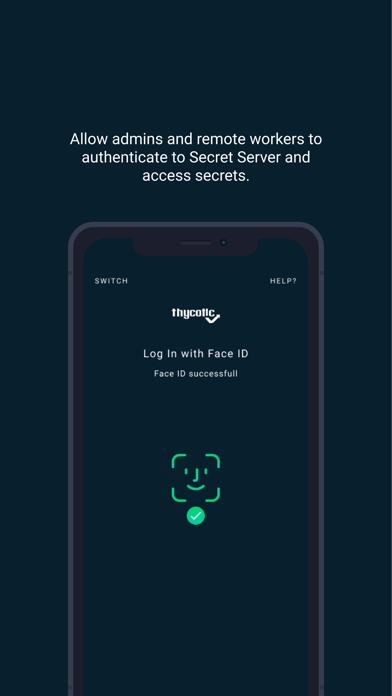
App can support a device’s biometric authentication (Fingerprint and Face ID) instead of a password or other MFA.
Auto-reconnect to Secret Server if connection is temporarily dropped due to network issues.
Support for Secret Server login Refresh token
Ability to view, add, edit, and delete both Secrets and Folders.
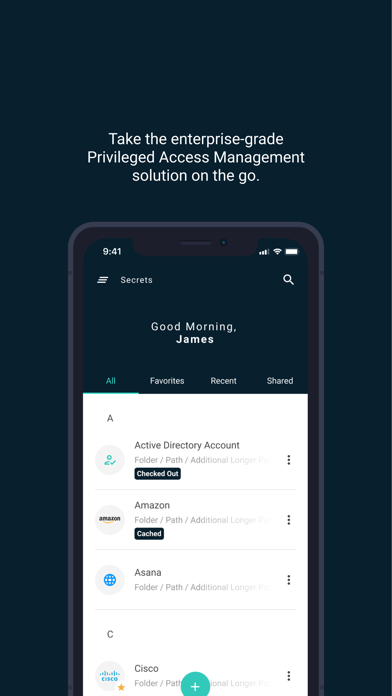
Search based on Secret name.
Access Secret from your Favorites list
View “Recent” Secret list to display the 15 most recently accessed Secrets.
Users can access and use their secrets via mobile device, using the built-in password management features. When users are logged in with their account, they can navigate their Secret Server folder structure to access Secrets.
Automatically fill credentials from Secrets into other mobile apps or Web browser sites on the mobile device
• Requires that the Mobile app be registered with the device’s own autofill service
• Use the device’s own autofill service to push Secret credentials into other mobile apps or web browser pages
• Launch web sessions from a Secret on the mobile device and have the credentials auto-populate in the mobile devices default browser
Supports SAML Login (Web Login) or Local user login. Users can switch between Web Login (SAML) or Local user login.
Supports secret access workflows.
• Checkout and DoubleLock: Users can access secrets which use check out and those which require a DoubleLock password.
• Ticket System Support: Allows users to access secrets when a comment and/or ticket number is required.
• Visual Indicators show when a secret has been checked out or when you request access to a secret that has been checked out by another user.
Supports Offline Caching of Secrets
• Select secrets for offline caching, when mobile network, Wi-Fi or connectivity to Secret Server is not available and access secret details on the go.
• Cache individual secrets or an entire folder
• Visual Indicators show when secrets have been cached, have expired in the cache or have been checke