Scan it: Quick scanner

Scan it: Quick scanner Summary
Scan it: Quick scanner is a free, with in-app purchases iOS app in Business by Filip Nemecek. Released in Apr 2020 (6 years ago). It has 497 ratings with a 4.89★ (excellent) average. Based on AppGoblin estimates, it reaches roughly 2.8K monthly active users and generates around $<10K monthly revenue (100% IAP / 0% ads). Store last updated Jan 13, 2026
Scan it: Quick scanner SDKs Summary
App not yet scanned for SDKs.
4.89★
Ratings: 497
Screenshots

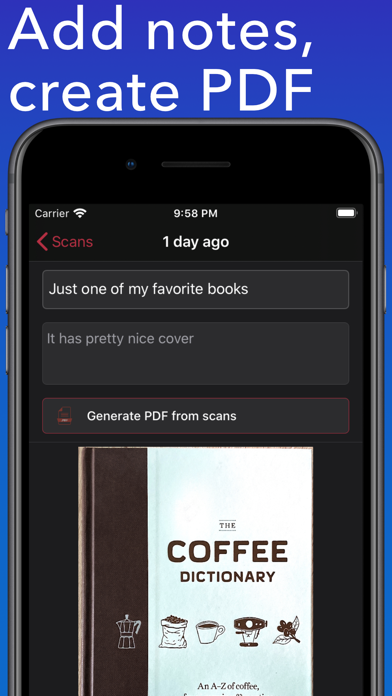


App Description
Easy to use scanner. Convert scans into PDF for easy sharing.
*Free version offers 5 scans every month. Upgrade to Pro to remove the limit*
The app can export scanned documents as PDF and also does text recognition (OCR). You can easily access all text content or perhaps just the website address or phone number.
You scanned documents are automatically saved to iCloud Drive and available on all your Apple devices.
iPad version supports drag and drop so you can quickly drag scanned documents to other apps.
| Scan
Scan one or multiple pages and adjust the edges if needed before saving the final scan. The app automatically detects the edges of the document for better experience.
You can rotate the scanned document or apply Grayscale, Black & White or Photo filters. Just make sure to do these edits before confirming the scan.
| Export
Easily share scanned documents as individual images or create PDF from all the pages in one scan.
| iCloud
All scanned documents are automatically uploaded to your iCloud Drive for easy access and backup. Just look for the "Scan it" folder. You can also customize this to export single PDF from multiple scans.
| Text Recognition
Scan it features OCR which means that scanned text will get recognized and you can quickly make use of it. For example if you scan business card you will get tappable links in results allowing you to make a call, send an email, open Safari or maps depending on the contents.
This recognized text can also be easily shared.
Examples where app can help:
* Scan business cards to quickly save contact information like an email or phone number
* Scan receipts to keep track of expenses
* Scan interesting book pages or other articles for later
* Scan and archive invoices and other important documents
* Paper notes, mindmaps and other important texts so you never lose it