NoteDex Index Cards Memory App

NoteDex Index Cards Memory App Summary
NoteDex Index Cards Memory App is a free, with in-app purchases iOS app in Productivity by Sundaram Applied Technologies. Released in Feb 2022 (4 years ago). It has 27 ratings with a 2.30★ (poor) average. Based on AppGoblin estimates, it reaches roughly 90 monthly active users and generates around $<10K monthly revenue (100% IAP / 0% ads). Store last updated Oct 25, 2024
NoteDex Index Cards Memory App SDKs Summary
App not yet scanned for SDKs.
2.3★
Ratings: 27
Screenshots


App Description
The only index card, flash card and note taking app with handwriting support that works on iOS, Mac, and Web! Free to use during 7-day trial. After the trial you can still view your cards but can't add any more. One-Time Purchase. Also use on Web!
SPECIAL ONE-TIME PAYMENT LIFETIME ACCESS PRICING OPTION - NO SUBSCRIPTION
*** PRICING DISCOUNT DURING 7 DAY TRIAL ***
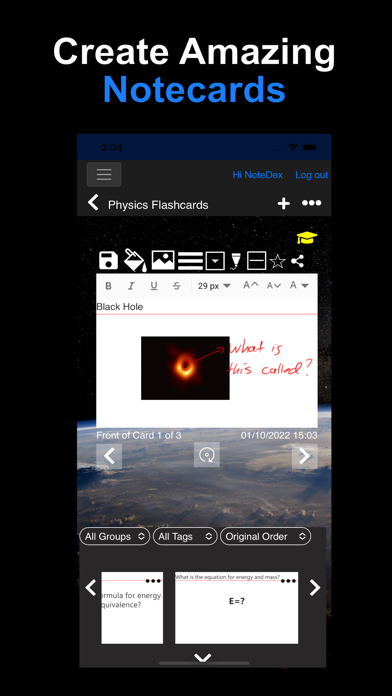
NoteDex is a next generation note taking, index card and flashcard app with handwriting, text, images, tables, and cloud sync. Apple Pencil stylus support.
Capture notes and ideas on the go, organize projects, and share on the web. With NoteDex all your information is in one place, secure and easy to organize and find.
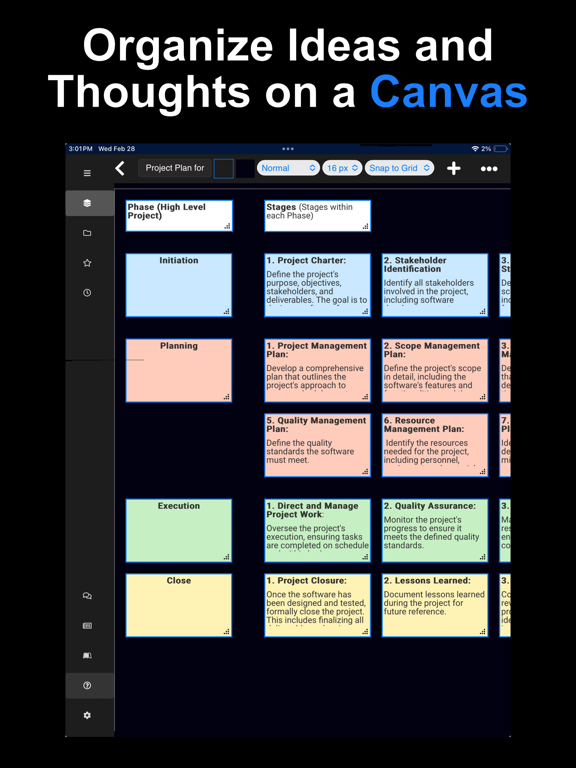
NoteDex fills the need for visual thinkers, note takers, project managers, writers and students like you, using the proven concept of Index Cards.
Share AND EDIT note cards with anyone using a web browser! Unlike other apps, NoteDex is truly cross platform.
NOTEDEX FEATURES
- Rich text formatting, card colors, pictures and digital ink with Apple Pencil
- Powerful note taking app on all stylus devices where the size of the screen will allow you to sketch on a card - just like a real card. Full Keyboard Support also.
- STUDY MODE for Students to keep score when using NoteDex as flashcards - uses Leitner spaced repetition learning model
- Advanced group folders, tags and search capabilities keeping you organized and productive
CAPTURE IDEAS, THOUGHTS AND NOTES
- Type and draw ideas on index cards. Add pictures and annotate
- Organize into stacks.
- Share stacks of idea cards with colleagues or friends on the web
- Capture daily meeting and project notes, checklists, and to-do lists
- Create notes when studying
- Outline books and screenplays and organize with groups and tags
- Create recipes and share with family
- Create class lesson notes and share with colleagues
FIND AND STAY ORGANIZED
- Create separate stacks to organize your different projects, ideas, lessons, meetings, books, screenplays and more
-Organize cards into Group sub-folders, categorize cards by Tags. Archive stacks for later retrieval
- Search cards for specific text
- Customize your project stacks with custom images
- See visual ‘thumbnail’ previews of cards to help see and find your notes
CLOUD SYNC AND COLLABORATE ON WEB
- Sync your cards and stacks automatically across any phone or ta