Camo Camera
Camo Camera Summary
Camo Camera is a mobile iOS app in Tools by Reincubate. Released in Jul 2020 (5 years ago). It has 17.5K ratings with a 4.62★ (excellent) average. Based on AppGoblin estimates, it reaches roughly 48.1K monthly active users . Store metadata: updated Apr 1, 2026, version 19505.
Recent activity: 61 new ratings this week View trends →
Data tracking: SDKs and third-party integrations were last analyzed on Mar 9, 2026.
Store info: Last updated on App Store on Apr 1, 2026 (version 19505).
SDKs, Trackers & Permissions
Camo Camera was last scanned for SDKs 2026-03-09. Below is the overview of third party companies detected in the app. The full list of raw SDKs, app permissions and unknown SDKs is available here.
AppGoblin saw Camo Camera uses 1 Analytics: Attribution
 Branch
App Details
App Store
Ads & App-Ads.txt
AppGoblin SDK Scans
4.62★
Ratings: 17.5K
Screenshots


App Description
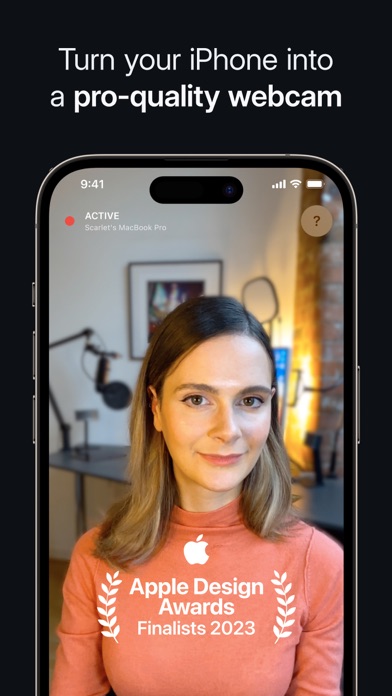
The Apple Design Awards Finalist 2023 app, Camo, uses the incredible cameras in your iPhone to produce pro-quality video, whether you’re meeting, streaming, or recording.
Joanna Stern, The Wall St. Journal – “how I do all my live TV hits”
MacWorld US – “full-featured, easy-to-use, and delightful”
9to5Mac – “an easy way to seriously improve your video call quality”
WIRED – “there are a number of apps which let you use your iOS device’s camera as your webcam, but the best one is Camo”
MacWorld UK – “an easy way to beef up the video quality on your calls”
With over 10 million users helped over the last decade, Reincubate is one of the UK’s most-loved software companies.
— EASY TO USE / PLUG AND PLAY / Wi-Fi —
No extra hardware needed, just connect your device to your Mac or PC. Choose between connecting wirelessly, for the most flexible experience, or opt for a trusty USB connection. With Wi-Fi connectivity, get set up for a call in seconds – no more looking around for a spare cable or a free port.
— POWERFUL ADJUSTMENTS & FILTERS —
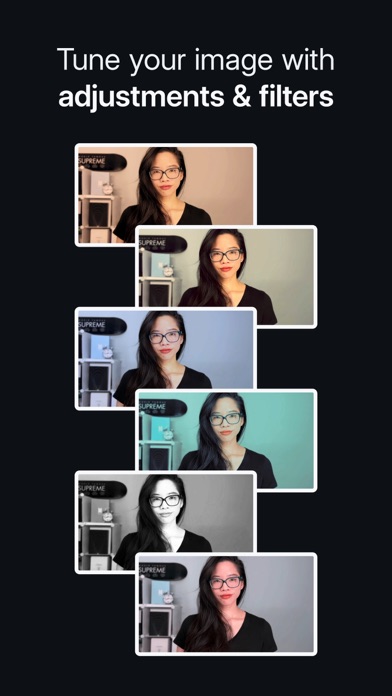
Camo Studio gives you full control of your video, letting you adjust lenses, exposure, colours, contrast, and more; and it lets you zoom, crop, and focus your image precisely how you want it. Apply cinematic styling and color grading to your video with 18 bespoke filters, including support for custom Cube, 3DL, and LUT files.
— STAND OUT WITH SPOTLIGHT & PORTRAIT —
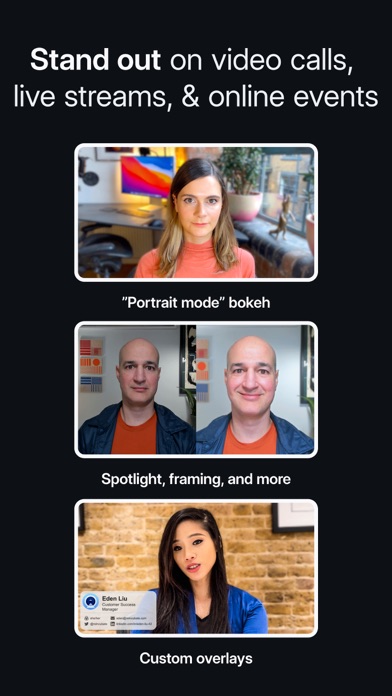
Use Spotlight to compensate for less-than-ideal lighting conditions, such as backlit or under-lit environments, by brightening yourself against your background. Portrait creates a sophisticated bokeh effect that cleanly separates you from the background and gives you full control over the depth of focus.
— VIRTUAL GREEN SCREEN AND PRIVACY —
Use Replace, Camo’s virtual green screen, to cleanly swap any image into your background. Or activate Privacy to cloak your surroundings with a pleasing diffused image effect. Both offer industry-leading performance, enabling video that foregrounds clarity without sacrificing appearance.
— FIND FREEDOM WITH AUTO FRAMING —
Camo’s auto-framing functionality keeps you at the center of the action, whether you’re shuffling around at your desk or presenting at a whiteboard. With a range of zoom options, you’ll remain firmly centered and proportioned on screen.