Qwote

Qwote Summary
Qwote is a free, with in-app purchases iOS app in Books And Reference by Kavisha Sonaal. Released in Jul 2020 (6 years ago). It has 5.00 ratings with a 4.60★ (excellent) average. Based on AppGoblin estimates, it reaches roughly 23 monthly active users and generates around $<10K monthly revenue (100% IAP / 0% ads). Store last updated Sep 17, 2020
Qwote SDKs Summary
App not yet scanned for SDKs.
4.6★
Ratings: 5.00
Screenshots




App Description
Qwote is a quick way to share text snippets or quotes as beautifully formatted images.
Let's assume you are reading an article and come across some interesting lines or quotes worth sharing. You want to quickly highlight those lines, add the source, format it, and share.
Using Qwote, you can achieve just that.
- Select the quote or text and hit the 'Share' option once highlighted
- From the Share sheet that pops up, navigate to the 'More' option
- Select the Qwote app (you have to do this the first time only) and add it to your favorites so that it is easier to access the next time
- You will get an editor inside the Qwote app with your selected text pre-filled
- Add Source if needed and hit 'Next'
- Then click 'Share Qwote' to share your beautifully formatted card on social networks
If you want, you can save it as an image using the Download option to share later.
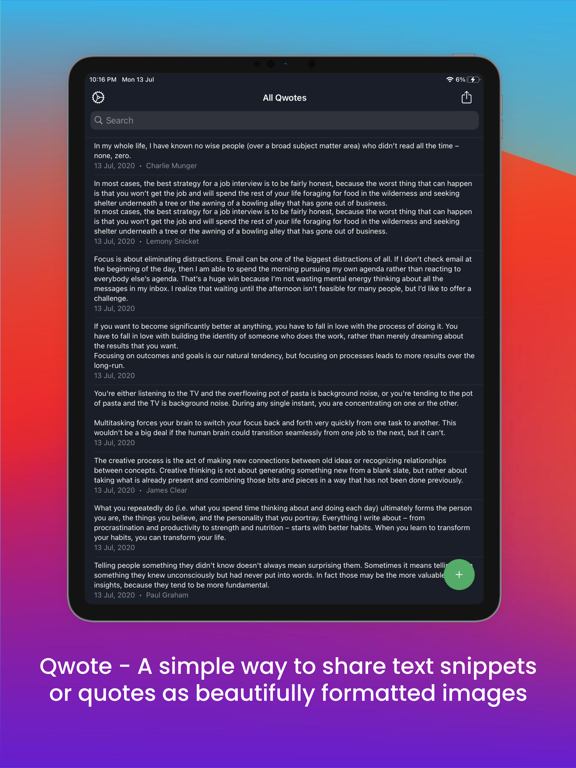
You can find all your Shared and Saved quotes on the Qwote app. If you want to add your own quote, click on the '+' button. This opens an editor allowing you to write/paste and format your quotes.
With the 'Qwote Plus' feature, you will be able to change fonts & background colors. You can also remove the Qwote watermark to have a clean minimal card.
Hope you like the idea and have as much fun using it, as we did building it!
If you liked the app experience, please add your ratings and reviews so that other people can discover it too.
If you have any questions or feedback,
- Email us - theteenyapps@gmail.com
- Find us on twitter at @GetQwote
Preview mockups were created using 'Previewed' at https://previewed.app