CareCam Pro

CareCam Pro Summary
CareCam Pro is a ad-supported, with in-app purchases iOS app in Photo And Video by HuiYun. Released in Jul 2020 (5 years ago). It has 48 ratings with a 2.06★ (poor) average. Based on AppGoblin estimates, it reaches roughly 465 monthly active users and generates around $<10K monthly revenue (58% IAP / 42% ads). Store last updated Jul 1, 2026
Recent activity: 5.00 new ratings this week View trends →
CareCam Pro SDKs Summary
App not yet scanned for SDKs.
2.06★
Ratings: 48
Screenshots
App Description
CARE SMART CAMERA - the one that know you best.
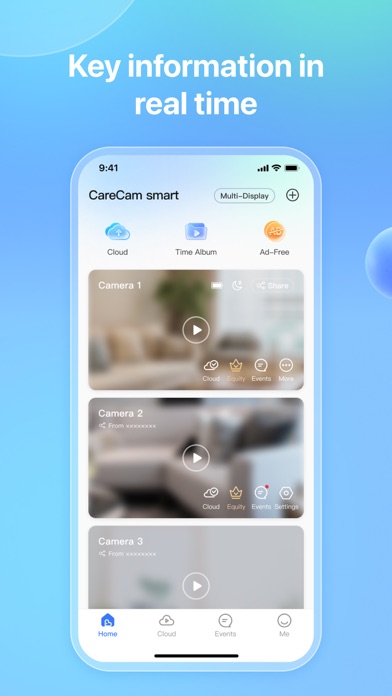
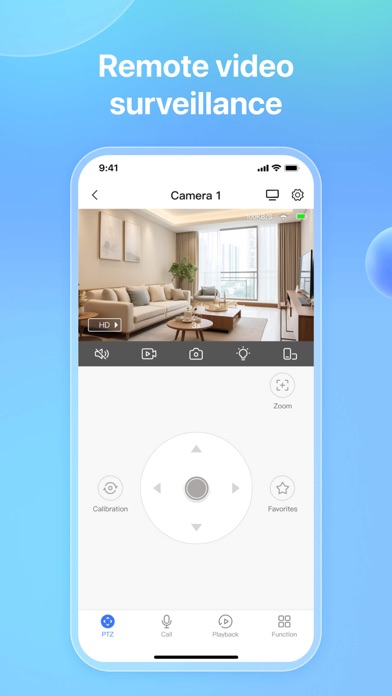
Remote Video Monitoring: Always stay closer to your family.
Motion Detection: Protect your family 24/7.
HD Video Playback: Do not let you miss any event.
https://products-app.smartcloudcon.com/app-ads.txt
https://products-app.smartcloudcon.com
KEY FEATURES:
HD Live Streaming
- Keep images clear after zooming in and videos smooth. Let you see every detail.
Two-Way Audio
- You are able to talk to your family anywhere instantly with one tap.
Motion Alerts
- With the activity timeline and snapshots, you can see at a glance when events happened.
Home/Away Assist
- Let you control your camera and its accessories in one click by configuring the the On/Off state of the devices in Home and Away mode.
Camera Sharing
- Share the camera access to your family in a secure and controllable way. And you can cancel sharing at anytime.
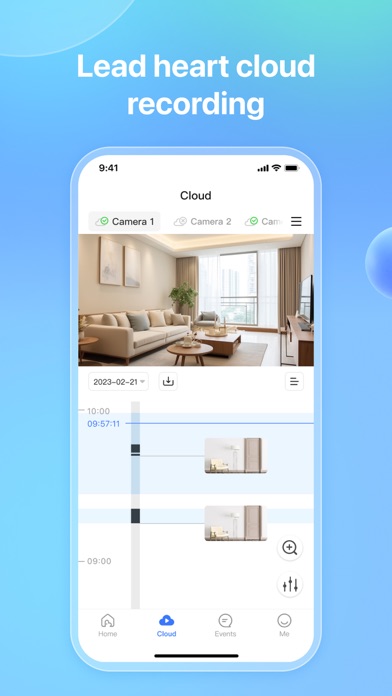
Video History
- When motion is triggered, videos will be recorded to the SD card and Care Cloud at the same time. You can scan through the entire video history to see what you missed. (Cloud Recording sold separately.)
Extended Accessory
- Support various accessories such as “contact”, “motion”, and “smoke” sensor, more comprehensive protection of your safety.
Contact us:
E-mail: support@smartcloudcon.com
Automatic subscription service description
1.Subscription service:
7-Day Event Recording Monthly
7-Day Event Recording Yearly
7-Day 24/7 Continuous Recording Yearly
30-Day Event Recording Yearly
30-Day 24/7 Continuous Recording Yearly
30-Day Event Recording Monthly
90-Day Event Recording Yearly
90-Day 24/7 Continuous Recording Yearly
90-Day Event Recording Monthly
90-Day 24/7 Continuous Recording Monthly
2. Payment: After the user confirms the purchase and makes the payment, it will be credited to the iTunes account.
3. Automatic renewal: Apple's iTunes account will be deducted within 24 hours before expiration. After the deduction is successful, the subscription period will be extended by one subscription period.
4. Turn off the service: You can go to "Settings" on your Apple phone --> Enter iTunes Store and App Store --> Click "Apple ID", select "View Apple ID", enter the "Account Settings" page, click "Subscriptions", and manage automatically If you need to cancel the subscription service, you can close it 24 hours before the end of each billing c