PDFelement: PDF Editor, Viewer

PDFelement: PDF Editor, Viewer Summary
PDFelement: PDF Editor, Viewer is a free, ad-supported, with in-app purchases iOS app in Productivity by Wondershare Technology Group Co.,LTD. Released in Nov 2020 (5 years ago). It has 40K ratings with a 4.63★ (excellent) average. Based on AppGoblin estimates, it reaches roughly 103K monthly active users and generates around $10K+ monthly revenue (26% IAP / 74% ads). Store last updated Oct 20, 2026
Recent activity: 1.00 new ratings this week View trends →
SDK intelligence: AppGoblin detected 4 development tools(e.g. Airbnb Engineering), 2 ad networks, 2 analytics: product,and 1 analytics: attribution integrated into PDFelement: PDF Editor, Viewer. View full SDK list →
PDFelement: PDF Editor, Viewer SDKs Summary
PDFelement: PDF Editor, Viewer was last scanned for SDKs on 2026-09-23. Below is the overview of third-party companies detected in the app. The full list of SDKs, permissions and unknowns is available here.
 Facebook
 Snap
Snap Firebase
 SensorsData
 Adjust
 Airbnb Engineering
 Alamofire
 OpenID
 Reachability
4.63★
Ratings: 40K
Screenshots




App Description
PDFelement is optimized for the latest Liquid Glass experience, with a more refined interface, clearer navigation, and smoother interactions for your PDF workflow.
AI PDF Editor, PDF Reader, PDF Scanner, PDF Converter, PDF Signer.
One app for work, study, and everyday life.
Customize Your Toolbar
Arrange your PDF tools the way you work. Reorder, show, or hide toolbar items to keep your favorite actions within easy reach and create a cleaner, faster, and more efficient workspace.
AI PDF
• Chat with PDF: Ask questions and get instant, accurate answers from your PDFs.
• AI Summarize PDF: Turn lengthy contracts, reports, and documents into concise key points.
• AI Translate: Translate selected text instantly across 60+ languages.
• Generate Mind Map: Transform PDF content into clear visual mind maps.
• AI Record: Record, transcribe, and convert voice notes into editable text for efficient note-taking.
Edit PDF Like Word
• Edit PDF: Edit PDF text, images, links, and watermarks with ease.
• Font Editing: Keep the original font, erase content, and adjust font size, spacing, and formatting effortlessly.
Professional PDF Reader
• Liquid Mode: Optimize PDFs for comfortable reading on any screen.
• Bookmarks: Save and jump to important pages instantly.
• Read Aloud: Listen to PDFs with your preferred voice and playback speed.
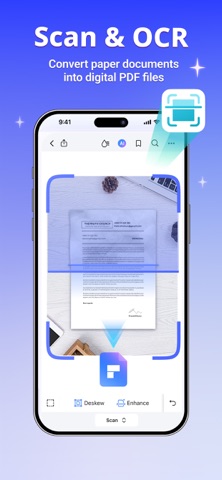
Scan & OCR
• PDF Scanner: Scan receipts, invoices, contracts, IDs, and certificates into high-quality PDFs.
• OCR: Extract editable text from scanned documents and images.
• Multi-Page Scan: Combine multiple scans into a single PDF.
PDF Converter
• PDF to Word, Excel, PowerPoint & Images: Convert PDFs into editable Office files or JPG, PNG, and more.
• Create PDF: Convert Microsoft Office documents and images into PDFs.
Annotate PDF
• Markup & Notes: Highlight, underline, draw, and add sticky notes.
• Comments: Review documents with professional commenting tools.
• Measure: Measure distance, perimeter, and area directly inside PDFs.
Create PDF
• Blank PDF: Start with customizable paper templates.
• Image to PDF: Create PDFs from photos or camera scans.
Manage PDF
• Compress PDF: Reduce file size while maintaining quality.
• Merge PDF: Combine multiple PDFs into one document.
• Organize Pages: Add, delete, rotate, extract, split, and rearrange PDF pages.
Fill & Sign
• Fill PDF Forms: Compl