easyJapanese -Japanese study-

easyJapanese -Japanese study- Summary
easyJapanese -Japanese study- is a ad-supported, with in-app purchases iOS app in Education by Hikaru Satomi. Released in Jun 2020 (5 years ago). It has 4.00 ratings with a 4.00★ (good) average. Based on AppGoblin estimates, it reaches roughly 6.00 monthly active users and generates around $<10K monthly revenue (22% IAP / 78% ads). Store metadata: updated Apr 30, 2022.
Store info: Last updated on App Store on Apr 30, 2022 .
4★
Ratings: 4.00
Screenshots
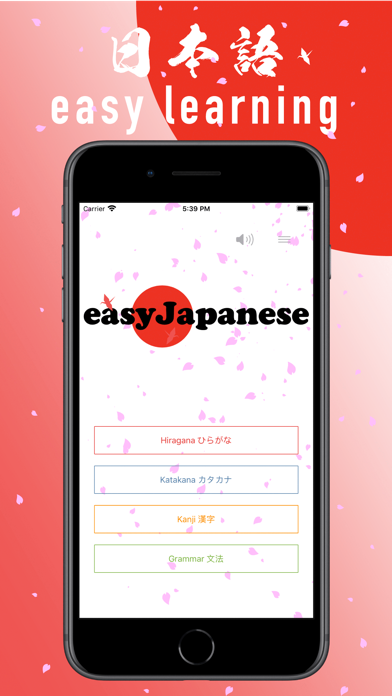


App Description
・ All levels are free!
・ Full voice!
・ Supports 86 languages!
・ Hiragana, Katakana, Kanji, grammar!
・ About 5800 questions!
・ If you change the language setting of your smartphone, you can also study from Japanese to multiple languages.
・ Press and hold for slow playback!
・ It is easy to remember letters by dividing words!
Easy to operate! Just select one to three Japanese!
I made it so that everyone would love Japanese and Japan, and not have any problems with the language.
I think that many problems can be solved if they can communicate with each other.
I would like to help those who are interested in Japan and who can come.
Welcome! to easyJapanese!
restore_explain" = "■■ Paid version ■■
Paid version has no ads and all functions are open!
・No ads! 4 stars present per month.
●Restore Your Purchases
You can restore your purchases when you changed your iOS devices or reinstalled the app from \[Restore Purchases\] in the Settings -> Upgrade. Please note that you need to login to your iTunes settings in the iOS -> iTunes with the same Apple ID you used before.
●Manage or Cancel
Go to Settings > \[your name\] > iTunes & App Store.
Tap your Apple ID at the top of the screen.
Tap View Apple ID. You might need to sign in or use Touch ID.
https://support.apple.com/en-us/HT202039
●Payment will be charged to your Apple ID account at the confirmation of purchase.
●The subscription automatically renews unless it is canceled at least 24 hours before the end of the current period.
●Your account will be charged for renewal within 24 hours prior to the end of the current period.
●You can manage and cancel your subscriptions by going to your App Store account settings after purchase.
●You will not be able to cancel the subscription once activated.
●Privacy Policy and Term of Use
https://www.satomic.net/home/easyjapanese/terms-conditions
LICENSED APPLICATION END USER LICENSE AGREEMENT
https://www.apple.com/legal/internet-services/itunes/dev/stdeula/
More info
◉ satomic apps web site
https://satomic.net
◉ satomic twitter
twitter https://twitter.com/satomic13
◉ Developer's Twitter
https://twitter.com/HikaruSatomi1